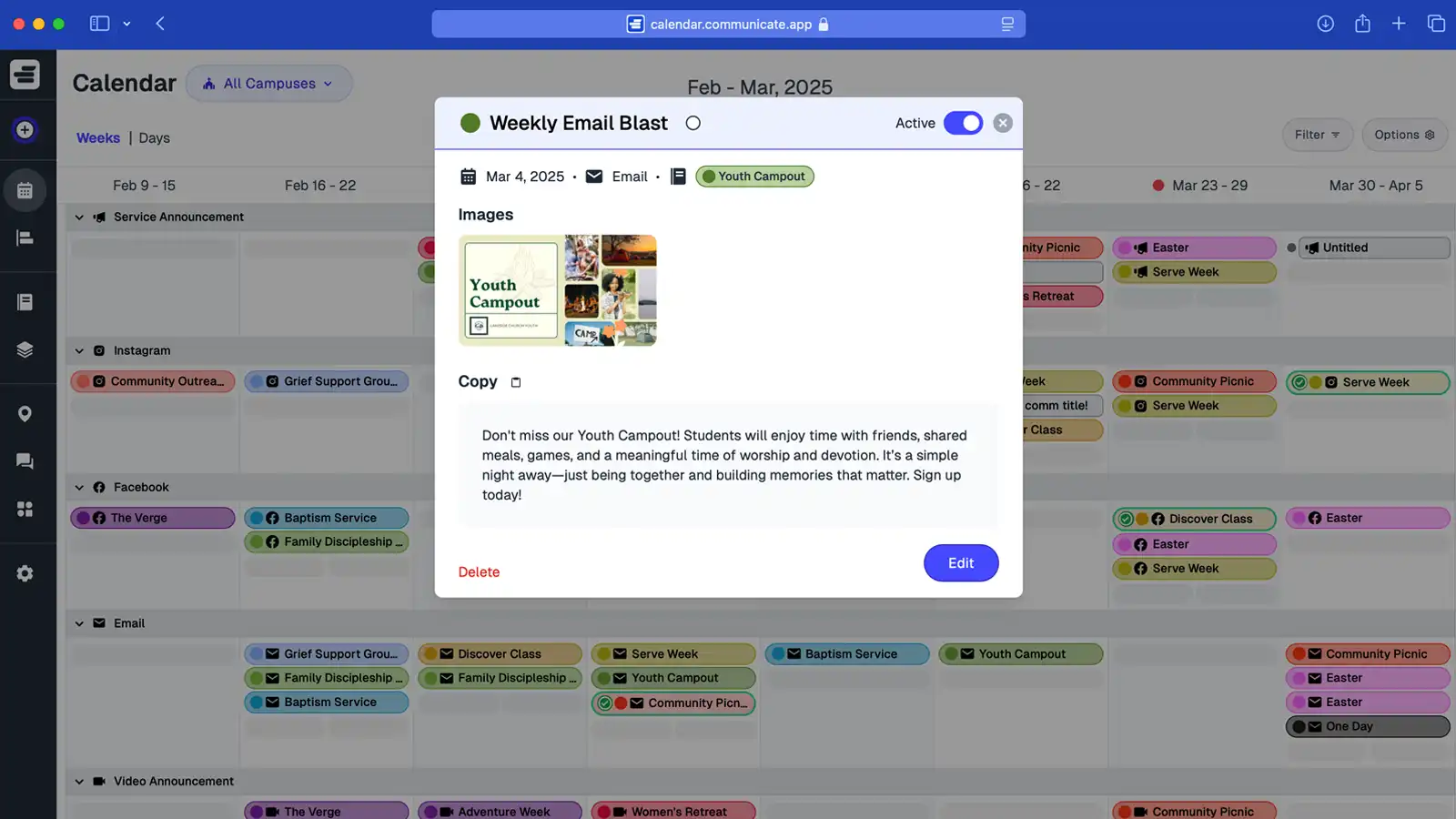
Communicate aligns church communications in one place so every message is planned, approved, and delivered on time. Map campaigns, assign owners, and connect channels without juggling spreadsheets or email threads—keeping sermons, emails, social, and Sunday announcements clear, timely, and unified.
Short Answer: Church communication strategy software aligns all communications in one place so messages are planned, approved, and delivered on time while keeping sermons, emails, social, and announcements clear and unified.
Church communication strategy is a structured approach to planning, organizing, and delivering consistent messaging across all channels and ministries. It involves creating workflows, setting timelines, coordinating announcements, and ensuring that every message—whether delivered via email, social media, or Sunday services—reinforces the same purpose and maintains the same voice. A solid communication strategy prevents scattered messaging, builds trust with consistent communication, and helps churches deliver clear, timely updates that connect people to their mission.
Learn more about building your strategy with our comprehensive guide: Church Communications Strategy: The Complete Guide. For practical steps on prioritizing messages, see How to Prioritize Church Communications.
Church communication strategy is a structured approach to planning, organizing, and delivering consistent messaging across all channels and ministries.
Communicate is church communications planning software that gives your team structured workflows and scheduling tools to deliver a consistent church communication strategy across email, social, and Sunday services. Keep every announcement clear, on time, and on brand—so your congregation never misses what matters.
Church communication strategy software provides structured workflows and scheduling tools to deliver consistent messaging across all channels.
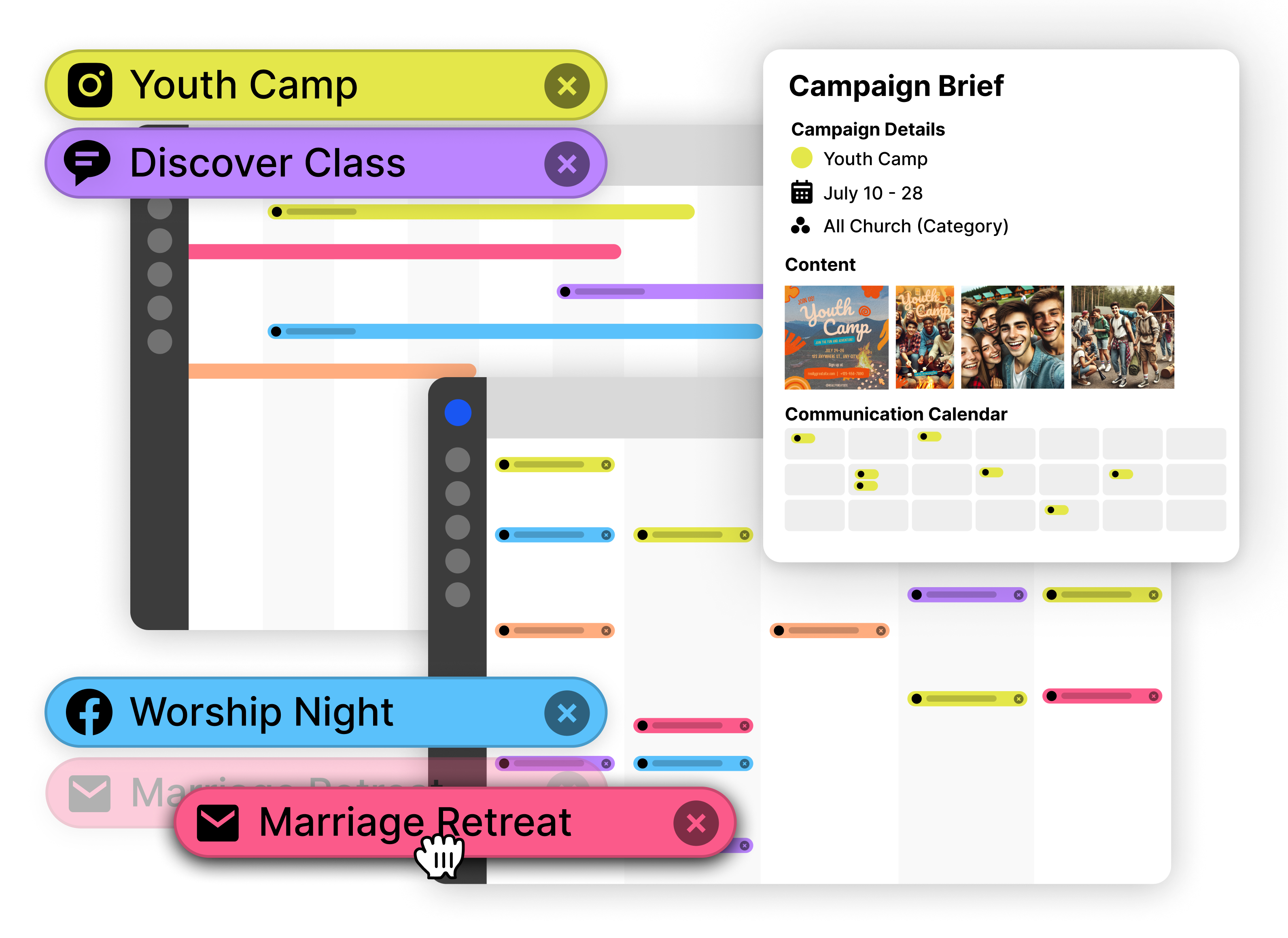
When your church communication strategy lives in scattered emails and side chats, people miss what matters. Without church communications planning software to align workflows and scheduling, messages drift, timelines slip, and trust erodes.
Consistent church communication breaks down due to inconsistent messaging, competing priorities, and out-of-sync updates without structured workflows.
Details live in different places, so tone and timing don’t match. Without a clear church communication strategy, announcements vary by channel and people stop paying attention.
Ministries fight for the same email and stage time. Without church communications planning software to prioritize and schedule, important updates get drowned out.
Dates shift but schedules don’t. Without structured workflows and a single source of truth, volunteers get mixed signals and consistent church communication breaks.
Communicate is church communications planning software that unifies workflows and scheduling across every channel. Build trust with clear, timely, consistent church communication—no more scattered updates or mixed messages.
Church communication strategy software provides structured workflows, channel scheduling, and unified messaging across all teams.
Turn scattered notes into a repeatable church communication strategy. Standardize approvals, assign owners, and keep every announcement on brand and on time.
Plan email, social, and Sunday announcements in one calendar. Avoid overlaps, balance priorities, and keep messaging consistent across every ministry.
Give youth, worship, and volunteers the same source of truth. With consistent church communication, plans stay aligned and your congregation knows exactly what’s next.
Communicate's church communications planning software turns strategy into repeatable processes that keep messaging consistent across every ministry and channel.
Structured workflows build consistent communication through approval processes, ownership assignment, status tracking, and template creation.
Standardize how communications move from draft to published. Assign approval steps so staff drafts, leaders review, and final approval happens before scheduling—no more last-minute changes or missed reviews.
Each communication shows its approval status, so everyone knows what's ready and what needs attention. This structured process ensures every message aligns with your church communication strategy before it reaches your congregation.
Assign each communication to a specific team member responsible for drafting, approving, or publishing. The calendar shows ownership at a glance, eliminating confusion about who handles what.
When multiple ministries need to coordinate, ownership clarifies responsibilities. Youth ministry owns their announcements, worship team owns service communications, and the communications team oversees the overall strategy.
Mark communications as draft, in review, approved, scheduled, or sent. Filter the calendar to show only items that need attention—see what's ready to publish, what's waiting for approval, and what's already done.
This visibility helps teams prioritize and prevents important communications from falling through cracks. Everyone sees the same status in real time, so decisions happen faster.
Build reusable templates for recurring communication types—weekly email newsletters, sermon series announcements, event promotions. Start with a proven structure and customize for each specific use.
Templates ensure consistency in tone, timing, and format. Your church communication strategy becomes repeatable, so volunteers and staff follow the same patterns without constant guidance.
See how church communications planning software turns strategy into consistent, aligned messaging across ministries.
Real-world strategy implementation involves aligning multi-ministry campaigns, maintaining voice consistency, and prioritizing strategic communications.
When launching a church-wide initiative like a giving campaign or volunteer drive, multiple ministries need to communicate consistently:
The calendar shows all campaign communications together, ensuring every ministry reinforces the same message without conflicting details or overlapping timing.
With multiple staff and volunteers creating communications, maintaining consistent voice requires structure:
When all communications live in one place with structured workflows, teams naturally align to the same voice and messaging standards.
Not every announcement deserves prime Sunday stage time. Use the calendar to prioritize strategically:
The visual calendar makes prioritization decisions clear and data-driven, helping you balance ministry needs while maintaining communication effectiveness.
Consistent church communication requires coordination across ministries. Communicate's planning software enables seamless collaboration.
Team collaboration includes shared visibility for leadership, ministry-specific workflows, and volunteer contribution capabilities.
Pastors and elders can view the entire communication plan without editing access. This gives leadership real-time visibility into what's planned across all ministries and channels, enabling strategic oversight without micromanagement.
When leadership needs to approve messaging or adjust timing, they see the full context in one place. No more emailing spreadsheets or scheduling separate meetings to review plans.
Each ministry can manage their own communications while staying aligned with the overall strategy. Youth ministry drafts their announcements, kids ministry schedules their promotions, and worship team plans service communications—all in the same calendar.
Filter views by ministry so teams focus on what matters to them, while the communications team sees the full picture. This balance of autonomy and alignment is essential for consistent church communication.
Volunteers can add draft content, suggest timing, or update status without access to change critical scheduling. Staff reviews and approves before publication, maintaining quality while leveraging volunteer capacity.
This collaborative model enables consistent church communication even with limited staff, as volunteers handle initial drafting and staff ensures everything aligns with strategy.
Transform your communication approach from reactive to strategic. Here's how to establish workflows that build consistent church communication.
Setting up church communication strategy involves defining workflows, creating templates, planning ahead, establishing channel priorities, and training the team.
Establish approval processes and ownership rules. Decide who drafts, who approves, and who publishes for different types of communications. Set these patterns in Communicate by assigning owners and statuses consistently.
Build templates for recurring communication types—weekly emails, event announcements, sermon series launches. These templates ensure consistency in format, timing, and messaging while saving time on repetitive planning.
Use the calendar to plan major campaigns, sermon series, and events for the next 8-12 weeks. This advance planning ensures communications build momentum, avoid conflicts, and reinforce your church communication strategy consistently.
Decide which communications go to which channels. Use Sunday announcements for highest-impact messages, email for detailed information, and social media for ongoing engagement. The calendar helps you balance these channels strategically.
Invite ministry leaders and key volunteers to the calendar with appropriate access levels. Show them how to draft communications, check for conflicts, and follow approval workflows. Regular use builds consistency naturally.
Start building consistent church communication today with structured workflows and strategic planning.
Start Planning Strategically — FreeHow this topic connects: This page establishes the church communication strategy pillar by explaining how strategic planning frameworks coordinate messaging across all ministries and channels.
Quick answers on how Communicate keeps strategy, approvals, and channels aligned for every ministry.
Common questions about church communication strategy cover alignment, ownership and approvals, leadership visibility, multi-campus messaging, template duplication, and status tracking.
Church communication strategy software uses one shared calendar that displays campaigns, channels, and approval workflows together. All ministries access the same calendar, ensuring everyone plans from a single source of truth and maintains alignment across teams.
Each communication can be assigned to an owner, given a due date, and moved through approval steps. This workflow structure ensures communications progress from draft to published status with clear accountability and review processes.
Leadership can be granted read-only access to the communication calendar, providing real-time visibility into planned communications without the ability to edit or modify the schedule. This access level enables oversight while protecting the planning workflow.
Communications can be tagged by ministry or campus, and calendar views can be filtered to show specific tags. This tagging system maintains alignment with church-wide messaging while allowing location-specific or ministry-specific communications to be customized as needed.
Entire campaigns and their associated communications can be duplicated for reuse. Churches commonly duplicate successful campaigns for recurring sermon series or seasonal events, then adjust dates and update content while maintaining the proven structure and workflow.
Each communication displays its current status and assigned owner in the calendar. Status indicators show whether communications are in draft, scheduled, or sent, and ownership information clarifies who is responsible for each item across all channels.
Communicate is church communications planning software that gives your team structured workflows and scheduling tools to deliver consistent church communication across email, social, and Sunday services. Replace scattered messages with one clear plan your congregation can trust.
Church communication strategy software helps teams deliver consistent messaging across all channels through structured workflows and scheduling tools.
One voice. On time. Every channel.