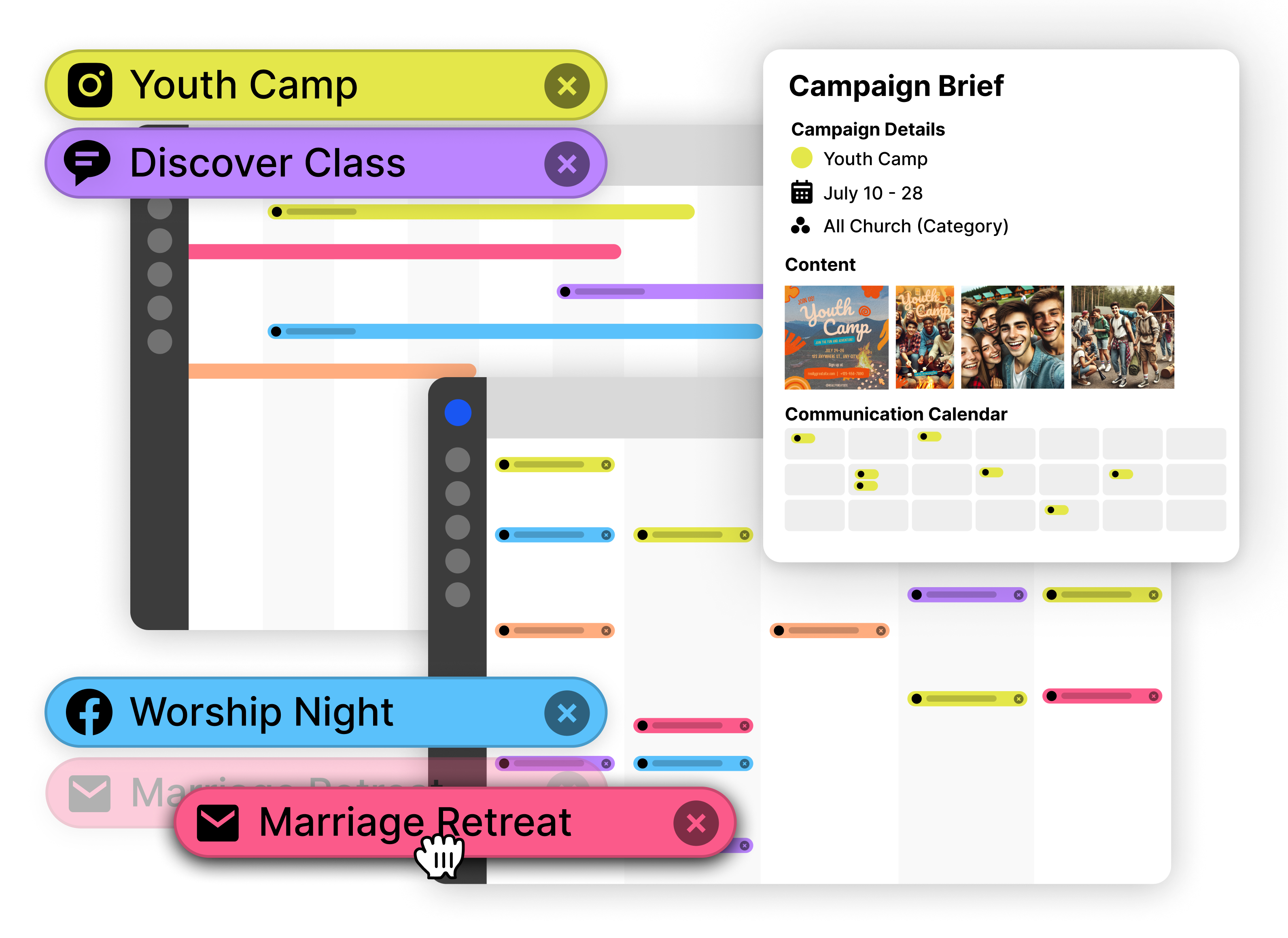
📧 New — Simplify Church-Wide Email Scheduling

Church Email Planning and Scheduling Tool

Communicate keeps church email planning in sync with every other channel so newsletters and reminders never collide. Map send dates, attach copy, and review drafts alongside announcements and social posts on a shared calendar so staff and volunteers stay coordinated without last-minute scrambles.

Short Answer: Church email scheduling keeps email planning in sync with other channels so newsletters and reminders never collide, and staff can coordinate send dates and drafts on a shared calendar.

Start Scheduling Church Emails
Plan church-wide emails in advance
Keep emails aligned with campaigns
One calendar for every communication channel

What is Church Email Scheduling?

Church email scheduling is the practice of planning and scheduling email communications in advance, coordinating them with other announcements and campaigns to ensure consistent messaging across all channels. It involves drafting email content, setting send dates, aligning emails with events and sermon series, and managing approvals before messages go out. This approach prevents last-minute email scrambles, eliminates overlapping announcements, and helps churches deliver timely, coordinated communication that reinforces the same message across email, social media, and Sunday services.

Learn effective email strategies: Stop the Email Overload: A Church Email Strategy That Actually Works. For newsletter best practices, see 10 Church Newsletter Best Practices.

Church email scheduling is the practice of planning and scheduling email communications in advance, coordinating them with other announcements and campaigns.

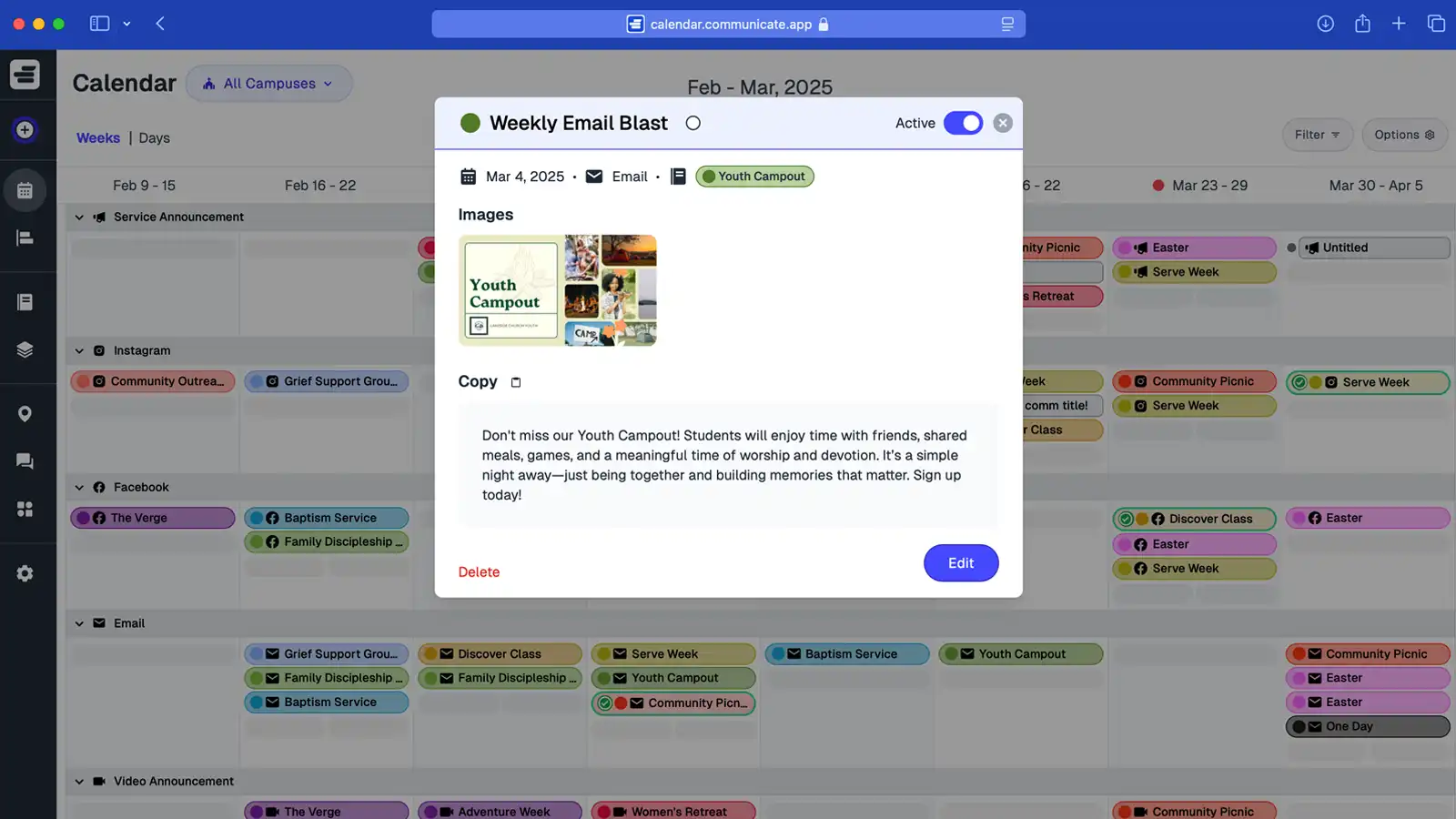
Screenshot of Communicate app email scheduling calendar

Plan and Schedule Every Church Email in One Calendar

Communicate is the church email scheduling tool that keeps every message aligned with your full communication plan. From weekly newsletters to ministry updates, your team can schedule emails alongside announcements and campaigns—so nothing gets missed, duplicated, or rushed.

Church email scheduling tools keep email planning in sync with full communication calendars to prevent missed or duplicated messages.

Why Reactive Church Email Communication Doesn’t Work

Without a church email scheduling tool, emails are drafted last minute, overlap with other updates, and leave your congregation confused. Planning church email communication inside a shared calendar ensures messages stay consistent, clear, and right on time.

Reactive church email communication fails due to overlapping announcements, last-minute rushes, and inconsistent messaging without scheduling tools.

Overlapping Announcements

Emails often go out without awareness of other scheduled updates. With planned church email communication, every message fits the bigger picture.

Last-Minute Rush

Drafting emails on the fly leads to errors, stress, and missed details. Scheduling church emails in advance keeps leaders calm and communication accurate.

Inconsistent Messaging

When emails aren’t scheduled with campaigns in mind, your congregation gets mixed signals. A church email scheduling tool ensures one clear voice every time.
The Smarter Way to Plan and Schedule Church Emails

Communicate is the church email scheduling tool that helps you plan every email in sync with your full communication calendar. Keep newsletters, ministry updates, and announcements consistent, clear, and always on time.

Church email scheduling tools provide features for scheduling emails, aligning with campaigns, and collaborating across ministries.

Schedule Church Emails with Ease

Draft, approve, and schedule emails in advance. Avoid last-minute scrambles and ensure your congregation always gets timely updates.

Keep Emails Aligned with Campaigns

Plan church email communication alongside events, social posts, and announcements. Every channel reinforces the same message without confusion.

Collaborate Across Ministries

Worship, youth, kids, and comms teams can all schedule emails in the same calendar. No duplicate reminders, no missed details—just unified communication.

How this topic connects: This page establishes the church email scheduler pillar by explaining how email scheduling systems help teams plan and coordinate email communication.

Questions About Church Email Scheduling?

Quick answers about Communicate—the church email tool that lets you plan church email communication, schedule sends, and keep every update aligned with your calendar.

Common questions about church email scheduling cover tool functionality, multi-ministry scheduling, preventing reactive emails, advance scheduling, coordinating with announcements, storing content, email service integration, and reducing stress.

Is this just a calendar, or a full church email tool?

Communicate is more than a calendar. It’s a church email scheduling platform where you plan campaigns, draft content, set approvals, and schedule sends alongside events and announcements—so every email lands at the right time.

Can multiple ministries schedule emails in the same calendar?

Multiple ministries can share one synchronized calendar. Worship, youth, kids, and communications teams all see scheduled church-wide emails in real time, which prevents scheduling conflicts and eliminates duplicate messages.

How does Communicate prevent overlapping or reactive emails?

Planning church email communication in context with campaigns and events allows teams to stagger send times, set reminders, and maintain consistent messaging. This advance planning prevents last-minute email creation and ensures messaging remains aligned across communications.

Can I schedule weekly newsletters and ministry updates in advance?

Church email scheduling software allows teams to plan and schedule church-wide emails, weekly newsletters, and ministry updates as far in advance as needed. Teams can draft content, set send dates, and ensure every email is scheduled for the appropriate time.

How does the email scheduler help coordinate with Sunday announcements?

Viewing emails alongside Sunday announcements and social posts in one calendar helps teams ensure email reminders support what's happening in services. This coordination prevents conflicting messages and reinforces consistent information across all communication channels.

Can I store email copy and links directly in the scheduler?

Email copy, graphics, and links can be attached directly to each scheduled email in the calendar. All content related to an email stays organized with that communication, eliminating the need to search through separate email drafts or file folders.

Does the church email tool integrate with email service providers?

Church email scheduling software helps teams plan and schedule church email communication, but emails are still sent through existing email service providers. The scheduling tool keeps email planning organized and aligned with the full communication calendar while teams use their preferred email platform for actual sending.

How does planning church emails in advance reduce stress for small teams?

Scheduling church emails ahead of time allows small teams to draft content when they have available time, review it before sending, and ensure everything is ready. This advance planning eliminates the pressure of last-minute email creation and reduces errors.

Ready to Plan and Schedule Church-Wide Emails?

Communicate is the church email tool that lets you plan church email communication in context with your full calendar. Schedule newsletters and ministry updates alongside events and announcements—so every email is consistent, timely, and never overlapping.

Church email scheduling software helps teams plan and schedule email communications in context with full communication calendars.

Start Scheduling Church Emails — Free

Plan, approve, and schedule church emails from one shared calendar.

Align emails with campaigns