🍁 Fall Church Campaign Ideas

3 Church Campaigns to Try This Fall — and How to Make Them Work

Communicate is church communication software that helps teams plan, track, and execute fall campaigns with clarity and consistency. Duplicate recurring seasonal events, store graphics and copy together, and keep multi-channel schedules in sync with drag-and-drop rescheduling so your fall ideas actually ship before the holidays hit.

Short Answer: Fall church campaigns are coordinated communication efforts during the fall season that help teams plan, track, and execute seasonal messaging with clarity and consistency across multiple channels.

What are Fall Church Campaigns?

Fall church campaigns are coordinated communication efforts that run during the fall season, designed to boost engagement, connect people to ministry opportunities, and create momentum before the busy holiday season. They typically involve recurring, purpose-driven messaging—like weekly volunteer spotlights, serve week stories, or evergreen next-step invitations—that can be planned once and repeated throughout the season. Effective fall campaigns create rhythm through consistent, repeatable formats that don't require starting from scratch each week, helping churches communicate strategically while building culture and engagement.

Plan your campaigns: Why Every Church Campaign Needs a Brief. For seasonal planning, see Fall Church Communications Calendar Reset.

Why Fall is a Big Deal

Fall is prime time for engagement. New groups start. Volunteers come back. Holiday prep begins. But without a clear campaign plan, it can feel like every week is “catch-up.”

These three campaign ideas help you create momentum and margin — no chaos required.

1. Volunteer Spotlights — Tell Stories, Build Culture

Highlight one volunteer each week with a photo and short quote about why they serve. It’s a simple campaign that reminds your church who makes ministry happen and inspires new people to get involved.

  • Share via: Instagram posts + lobby slides + email footer
  • Keep it consistent — every Thursday or Sunday
  • Include a callout: “Want to get involved? Join the team!”

In Communicate: Set it up once. Duplicate the campaign each month. Store your content, graphics, and message copy together — so your team can always see what’s planned next.

Get started free →

2. Serve Week Stories — Celebrate What God’s Doing

Don’t just announce your Serve Week — tell the stories that come from it. Feature quick recaps, quotes, or photos from different serving teams to keep engagement high after the event.

  • Capture stories while serving (use a shared Google Photos folder)
  • Post one highlight daily during the week
  • Follow up the next Sunday with a recap video or carousel

In Communicate: Create a “Serve Week” campaign with multiple posts per day, track each channel (social, slides, stage), and see what’s scheduled or in draft — so nothing slips through the cracks.

Get started free →

3. The Plug-In Campaign — A Simple Invite that Runs Itself

Every church has core next steps — things like joining a group, volunteering, or giving. This evergreen campaign runs monthly with rotating messages that keep those opportunities visible without you having to start from scratch every time.

  • Choose 3–4 key next steps (Groups, Giving, Serving, Baptism)
  • Rotate them weekly
  • Refresh graphics seasonally (fall colors, Christmas, etc.)

In Communicate: Duplicate the entire campaign in seconds. View all messages, visuals, and links in one place — tweak or reuse them anytime without rebuilding from scratch.

Get started free →

Why These Work

These campaigns work because they create rhythm. Instead of scrambling each week for “what to post,” you’re repeating proven, purpose-driven stories that connect your people to your mission.

Start Planning in Communicate

A Smarter Way to Plan, Track, and Execute Campaigns

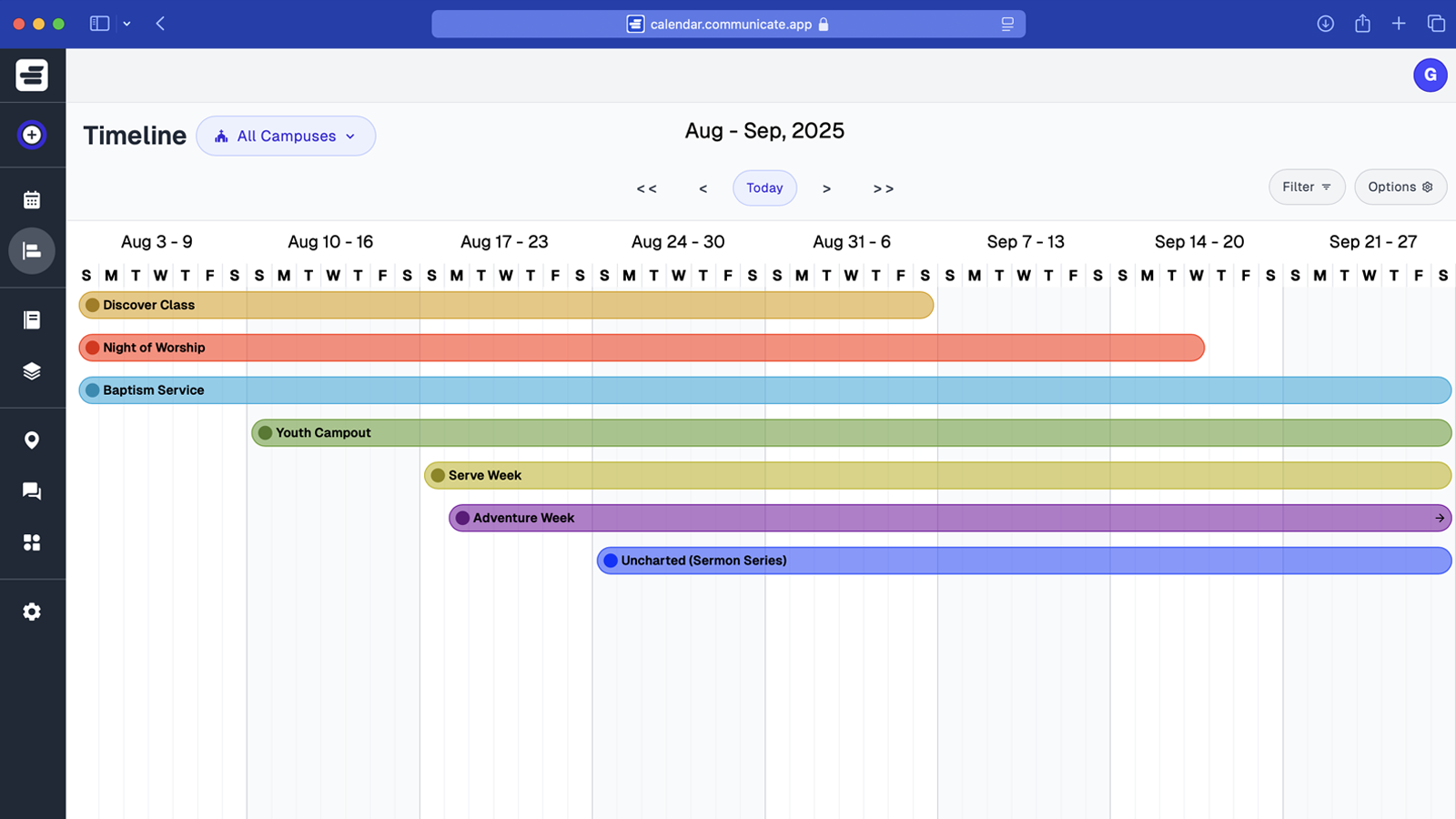
  • See all your campaigns and channels in one place
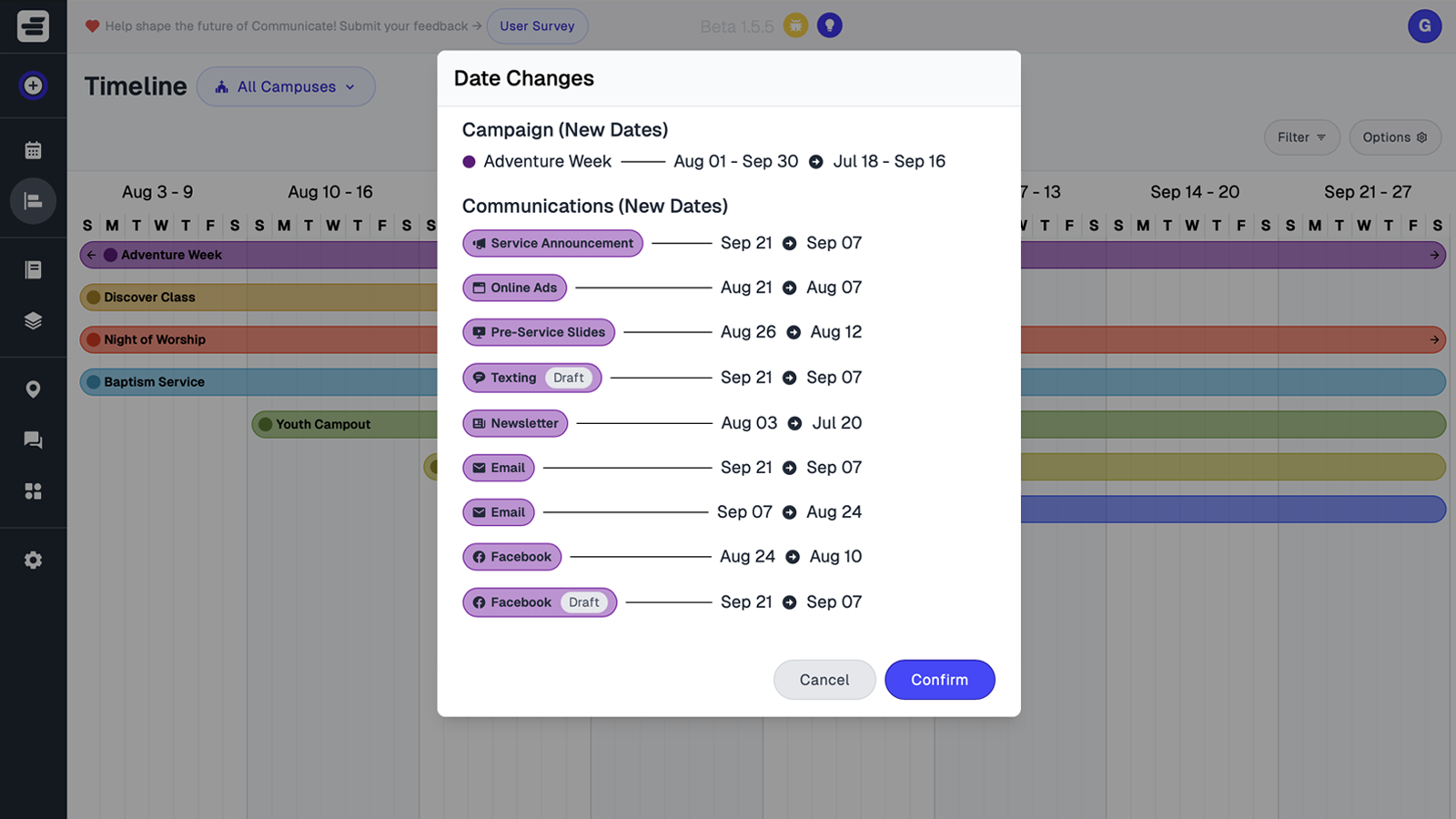
  • Drag and drop to reschedule
  • See campaign progress and track status in real time
  • Duplicate recurring campaigns (like Fall and Christmas)
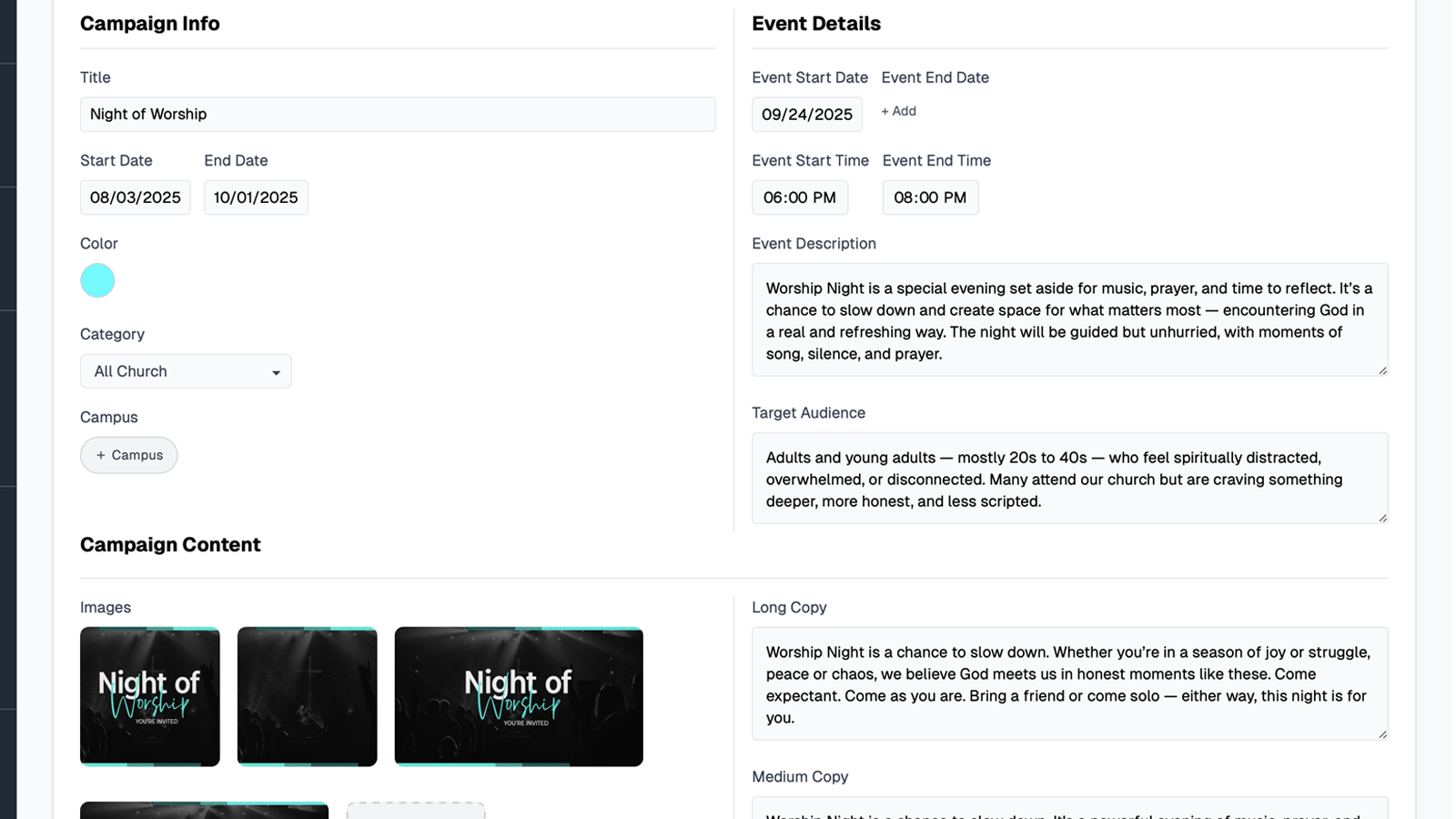
  • Store graphics, copy, and links right in the calendar
Church communications calendar view in Communicate Campaign planning view showing church communication campaigns Drag and drop scheduling interface for church communications Communication status tracking dashboard for church messages

Your Team Doesn't Need Another "Thing to Manage"

You need clarity. Communicate helps your team get aligned — so everyone knows what's being shared, when, and where. Less chaos. More confidence.

How this topic connects: This page supports the church campaign planning pillar by explaining how seasonal campaign systems help teams plan fall campaigns effectively.

Questions About Fall Church Campaigns?

How Communicate helps you plan, duplicate, and execute every fall campaign from one calendar.

Can I plan all fall campaigns across channels in one view?

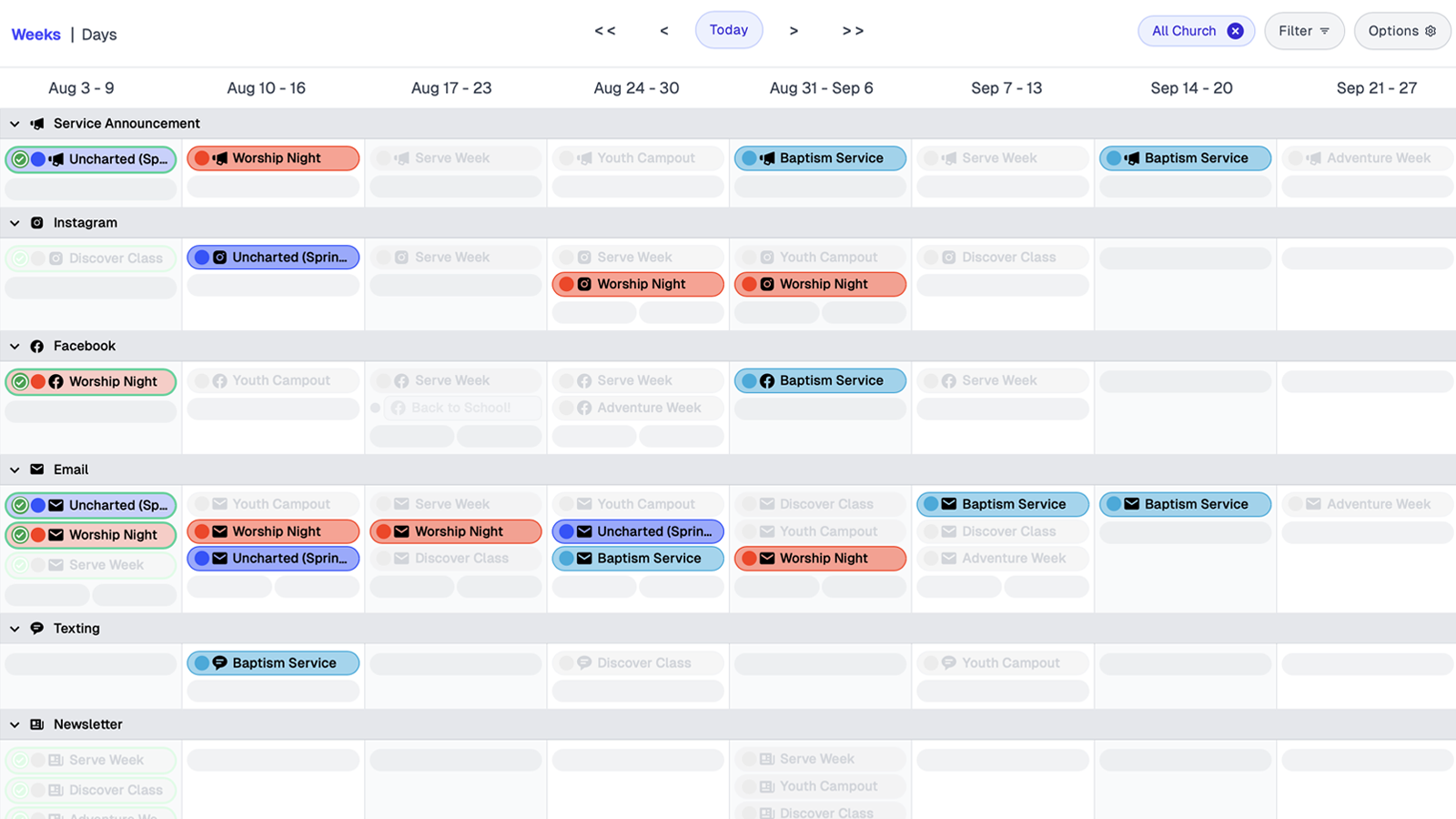
The fall campaign calendar displays every fall campaign and channel, including social media, email, slides, and SMS, in one unified view. This visibility helps teams balance timing across all channels and campaigns.

Can I reuse last year’s fall campaigns?

Prior campaigns can be duplicated, then dates and details are updated as needed. This duplication allows churches to launch fall campaigns without rebuilding everything from scratch.

Can I assign fall campaigns to specific ministries or campuses?

Campaigns can be tagged by ministry or campus, and calendar views can be filtered by these tags. This filtering allows each team to see campaigns relevant to them while maintaining visibility into church-wide alignment.

Can I store graphics, copy, and links with each fall campaign?

All assets, including graphics, copy, and links, can be attached to each campaign in the calendar. This organization ensures teams have everything needed to publish without searching through separate folders.

Does it track draft, scheduled, and sent status?

Each fall campaign item displays its status and assigned owner in the calendar. Status indicators show whether campaign communications are in draft, scheduled, or sent, and ownership information clarifies responsibility for each item.

Can I reschedule campaigns quickly if dates change?

Campaign items can be moved to new dates using drag-and-drop scheduling. When items are rescheduled, all associated channels stay synchronized automatically.

Try Communicate Free — and Simplify Your Fall Campaigns

Organize every post, every channel, and every campaign in one place. Start your free account today and bring clarity to your church communications.

Start Free

Use code LAUNCH15 for 15% off your first year when you choose an annual plan.