🎉 New — Multi-Channel Church Communication, All Synced

Multi-Channel Church Communication Software

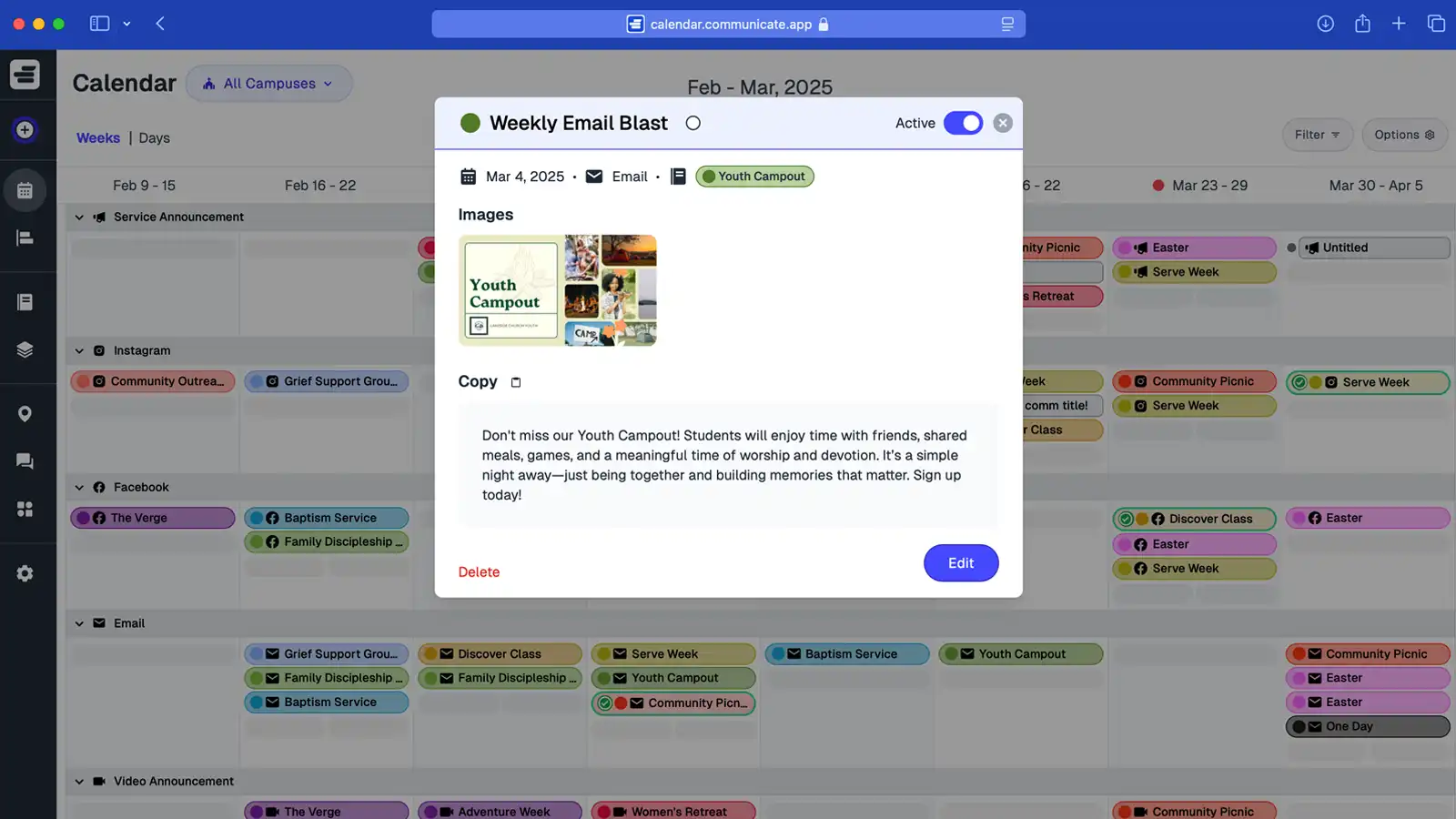
Communicate syncs social media, email, and Sunday announcements in one calendar so teams plan once and publish everywhere. View communications by channel, schedule the same message at different times, and stay consistent across providers without mixed messages.

Short Answer: Multi-channel church communication software syncs social media, email, and Sunday announcements in one calendar so teams can plan once and publish everywhere while staying consistent across channels.

Start Syncing Every Channel
Plan once. Publish everywhere.
Sync church comms across social, email, and services.
One calendar for multi-channel church messaging.

What is Multi-Channel Church Communication?

Multi-channel church communication is the coordinated delivery of messaging across multiple platforms—including social media, email, Sunday announcements, and other channels—ensuring that every message reinforces the same purpose and maintains consistency regardless of where it's delivered. It involves planning content once and scheduling it across channels in sync, so that social posts, email newsletters, and in-service announcements all align with campaigns and events. This approach prevents mixed messages, eliminates duplicate or conflicting updates, and helps churches deliver unified communication that reaches people wherever they engage.

Learn how to coordinate messages effectively: Multi-Channel Church Communication: The Complete Guide. For maintaining consistency, see How to Maintain Consistent Church Messaging.

Screenshot of Communicate app multi-channel communication calendar

Sync Social Media, Emails, and Announcements in One Place

Communicate is multi-channel church communication software that keeps every message consistent. From Sunday service announcements to email newsletters and social media posts, your team can plan once and publish everywhere. No more mismatched updates—just synced church comms across every channel.
Why Disconnected Church Communication Fails

Without multi-channel church communication software, social media, emails, and Sunday announcements rarely line up. Messages get duplicated, details get missed, and your congregation hears mixed signals. Syncing church comms in one calendar keeps every channel consistent and every update crystal clear.

Scattered Channels

Social posts say one thing, emails say another, and announcements don’t match. Without synced church comms, your messaging feels inconsistent and confusing.

Reactive Updates

Last-minute edits to posts or emails leave leaders stressed and details overlooked. A unified calendar for multi-channel church messaging eliminates the scramble.

Mixed Messages

When each channel runs on its own, your congregation gets conflicting info. Multi-channel church communication software ensures one clear voice across every platform.

Multi-Channel Church Communication Software That Keeps Every Message Aligned

Communicate is the church communication software built to sync your social posts, email newsletters, and Sunday announcements in one calendar. Plan once, publish everywhere, and keep your multi-channel church messaging consistent across every platform.

One Calendar, Every Channel

No more juggling multiple tools. Schedule social posts, emails, and announcements in one place and ensure your congregation gets a unified message.

Consistent Multi-Channel Messaging

Keep social media, email, and in-service announcements aligned. Every ministry delivers the same clear message without conflicting details.

Every Team, Always in Sync

From worship to youth to outreach, every ministry works from the same communication plan. No missed updates, no duplicate reminders—just synced church comms.

How Multi-Channel Church Communication Stays Synced

Communicate's church communication software keeps every channel aligned by centralizing planning and ensuring consistent messaging across all platforms.

Channel Coordination

View all channels—email, social media, text messages, Sunday announcements—in one calendar view. See what's scheduled for each channel and when, preventing conflicting messages and ensuring consistent timing.

When planning a campaign, schedule the email announcement for Tuesday, social media posts for the week, and Sunday slide announcement all from one place. All channels pull from the same campaign plan, so messaging stays aligned.

Staggered Timing

Schedule the same communication across multiple channels at different times. Announce an event in email on Monday, post on social media Wednesday, and mention it from stage on Sunday—all coordinated from one calendar.

This staggered approach prevents message overload while ensuring your congregation hears about important events through their preferred channel at the right time.

Channel-Specific Assets

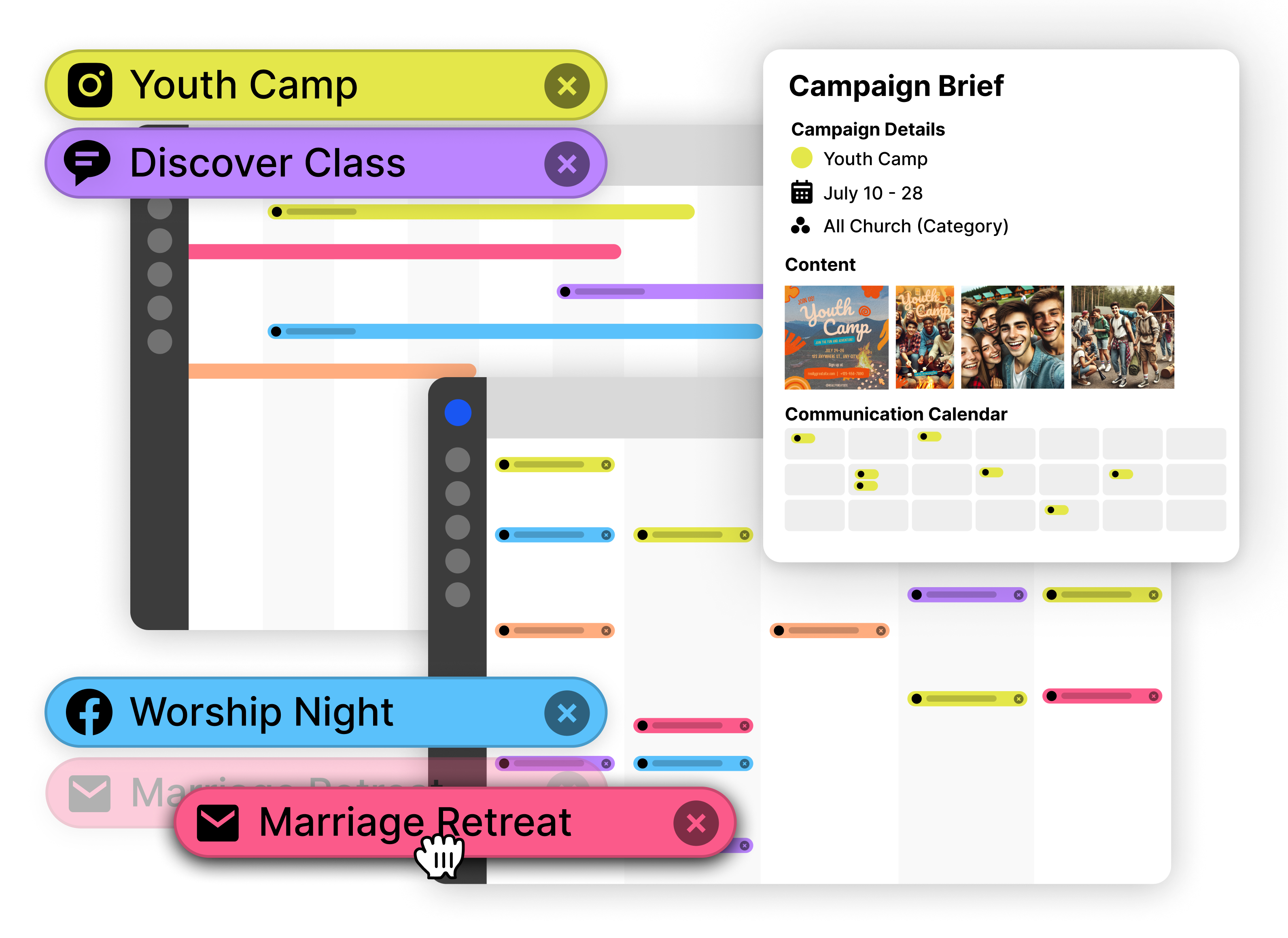
Store different graphics, copy, and links for each channel within the same communication. Instagram gets a square image and short caption, email gets a longer message with registration link, and Sunday slides get bullet points.

All assets live in one place, so when it's time to publish, teams have everything they need for each channel without searching through multiple folders or email threads.

Campaign Alignment

Group all communications for a campaign across channels under one campaign. When launching a sermon series, all email, social, and announcement communications share the same campaign, ensuring consistent messaging.

If campaign dates change, update once and all channel communications adjust together—no more updating email separately from social media or announcements.

Multi-Channel Communication Workflows in Action

See how churches sync multi-channel messaging to keep communications consistent and effective across every platform.

Launching a Church-Wide Event

When promoting a major event like a community service day or concert, multi-channel communication ensures maximum reach:

  1. Create a campaign for the event in Communicate
  2. Schedule an email announcement 3 weeks before with full details and registration
  3. Plan social media posts for Instagram and Facebook starting 2 weeks out
  4. Add a Sunday slide announcement the week before the event
  5. Schedule a reminder text message the day before

All communications stay aligned in the campaign, so messaging is consistent while reaching people through their preferred channels. The calendar shows the full multi-channel plan at a glance.

Weekly Communication Rhythm

Establish a consistent weekly pattern that keeps your congregation informed without overwhelming any single channel:

  1. Email newsletter goes out Tuesday with upcoming events and ministry updates
  2. Social media posts throughout the week highlight different ministries and events
  3. Sunday announcements focus on that week's highest-priority items
  4. Text messages reserved for urgent updates or last-minute changes

By planning all channels in one calendar, you balance messaging across channels and ensure no single platform gets overloaded while important updates reach everyone.

Handling Channel-Specific Needs

Different channels require different formats, but the core message stays consistent:

  1. Create one communication for an event announcement
  2. Attach channel-specific graphics—Instagram image, email header, slide graphic
  3. Store different copy lengths—short caption for social, detailed description for email
  4. Include channel-specific links—registration URL for email, event page for social

Communicate stores all channel variations in one place, so teams publish the right content for each platform while maintaining consistent messaging across all channels.

Setting Up Multi-Channel Church Communication

Get started syncing church comms across all channels with a simple setup process that takes minutes, not hours.

1

Add Your Channels

Set up all the channels you use: Email, Instagram, Facebook, Twitter, Sunday Slides, Text Messages, Bulletins. Each becomes a row in your calendar view so you can see everything at once.

2

Plan Your First Multi-Channel Campaign

Start with an upcoming event. Create a campaign and schedule communications across multiple channels—email announcement, social posts, Sunday slide. See how all channels align in one view.

3

Attach Channel-Specific Assets

For each communication, upload graphics and copy optimized for that channel. Store Instagram images, email headers, and slide graphics all in one place so teams have what they need when publishing.

4

Establish Your Rhythm

Set up a consistent schedule for each channel—weekly email on Tuesdays, social posts throughout the week, Sunday announcements. Use the calendar to plan ahead and maintain this rhythm automatically.

Start syncing all your channels today—plan once, publish everywhere, stay consistent.

Start Syncing Channels — Free

How this topic connects: This page establishes the multi-channel church communication pillar by explaining how multi-channel systems coordinate messaging across all platforms.

Questions About Multi-Channel Church Communication?

How Communicate keeps social, email, and Sunday announcements in sync from one shared plan.

How does Communicate keep messaging consistent across channels?

Multi-channel church communication software uses one calendar where teams plan communications once, and all channels use the same approved message and assets. This centralized planning ensures messaging remains consistent across email, social media, Sunday announcements, and other channels.

Can I stagger timing for each channel from one plan?

The same communication can be scheduled at different times across multiple channels, such as email, social media, slides, or SMS. This staggered scheduling prevents message overload while ensuring the communication reaches people through their preferred channels at appropriate times.

Can ministries or campuses filter to the channels they own?

Communications can be tagged by ministry or campus, and calendar views can be filtered by these tags. This filtering allows teams to focus on the channels they manage while maintaining visibility into the overall multi-channel communication plan.

Does it track draft, scheduled, and sent status per channel?

Yes. Each item shows status and owner so you know what’s in draft, scheduled, or done for every channel.

Can I attach channel-specific graphics and copy?

Channel-specific captions, graphics, and links can be stored with each communication in the calendar. This storage system ensures teams have the approved assets for each channel when it's time to publish, with all content organized together.

Does Communicate work with our existing email or social tools?

Multi-channel communication software helps teams plan and schedule communications in one calendar, then teams publish through their existing email and social media platforms. The calendar keeps the communication strategy synchronized across all channels while teams use their preferred publishing tools.

Ready to Sync Social Media, Email, and Sunday Announcements?

Communicate is multi-channel church communication software that keeps every message aligned. Plan campaigns once, sync church comms across social posts, email newsletters, and in-service announcements, and publish from one shared calendar—clear, consistent, on time.

Start Syncing Church Comms — Free

One calendar. Consistent multi-channel messaging. Less stress for your team.

Plan once, publish everywhere