Communicate is a church communication calendar that centralizes planning and scheduling for announcements, social posts, emails, and campaigns. It replaces scattered spreadsheets with a visual, drag-and-drop calendar so teams prevent last-minute scrambles, avoid message overlap, and collaborate in real time.
Short Answer: A church communication calendar centralizes planning and scheduling for announcements, social posts, emails, and campaigns in one visual calendar to prevent last-minute scrambles and message overlap.
A church communication calendar is a centralized planning system that helps churches organize, schedule, and coordinate all messaging across multiple channels and ministries in one place. It tracks announcements, social posts, emails, and other communications with dates, channels, owners, and status, giving teams visibility into what's planned and what's already been sent. This prevents last-minute scrambles, eliminates message overlap, and ensures consistent communication that aligns with church events and campaigns.
Get started with our step-by-step guide: How to Create a Church Communications Calendar. For comprehensive usage tips, see How to Use a Church Communications Calendar: Complete Guide.
A church communication calendar is a centralized planning system that organizes and schedules messaging across multiple channels and ministries in one place.
Most church comms spreadsheets are laid out like this: channels are listed down the left-hand column, and each column across the top represents a week or date range. To see what's planned, follow a row across for that channel and you'll see what's scheduled that week. It works, but gets messy fast.
Church communication spreadsheets typically list channels in rows and weeks in columns, which works initially but becomes difficult to manage as complexity increases.
| Channel | Jan 7 | Jan 14 | Jan 21 | Jan 28 |
|---|---|---|---|---|
| New Sermon Series | Men's Breakfast | Community Groups | Discover Class | |
| Social | Men's Breakfast | Two-to-One | Financial Peace | Serve Week |
| Texting | DivorceCare | New Sermon Series | Discover Class | Prayer Opportunities |
| Bulletin | Serve Week | Financial Peace | Community Groups | New Sermon Series |
This format makes sense and is easy to start, but it gets complicated once you add more channels, more ministries, or multiple campuses. That's when a purpose-built tool starts saving hours of time.
That's it. Start simple. When you're ready to level up, try a tool that's built for the job.
Building a basic church communication calendar involves creating a spreadsheet with columns for date, message, channel, status, and owner, then listing upcoming communications.
Purpose-built church communication calendars provide drag-and-drop scheduling, visual campaign views, asset storage, assignment tracking, and campaign duplication features that spreadsheets lack.
Churches should move beyond spreadsheets when calendars become messy, information is duplicated across multiple places, multiple people need to update simultaneously, or teams want better visibility into campaigns and channels.
If any of those sound familiar, it's time to consider a purpose-built tool.
Communicate transforms how churches plan and schedule communications. Here's how the calendar works in practice.
Church communication calendars work through visual layouts, campaign organization, drag-and-drop scheduling, and asset management features.
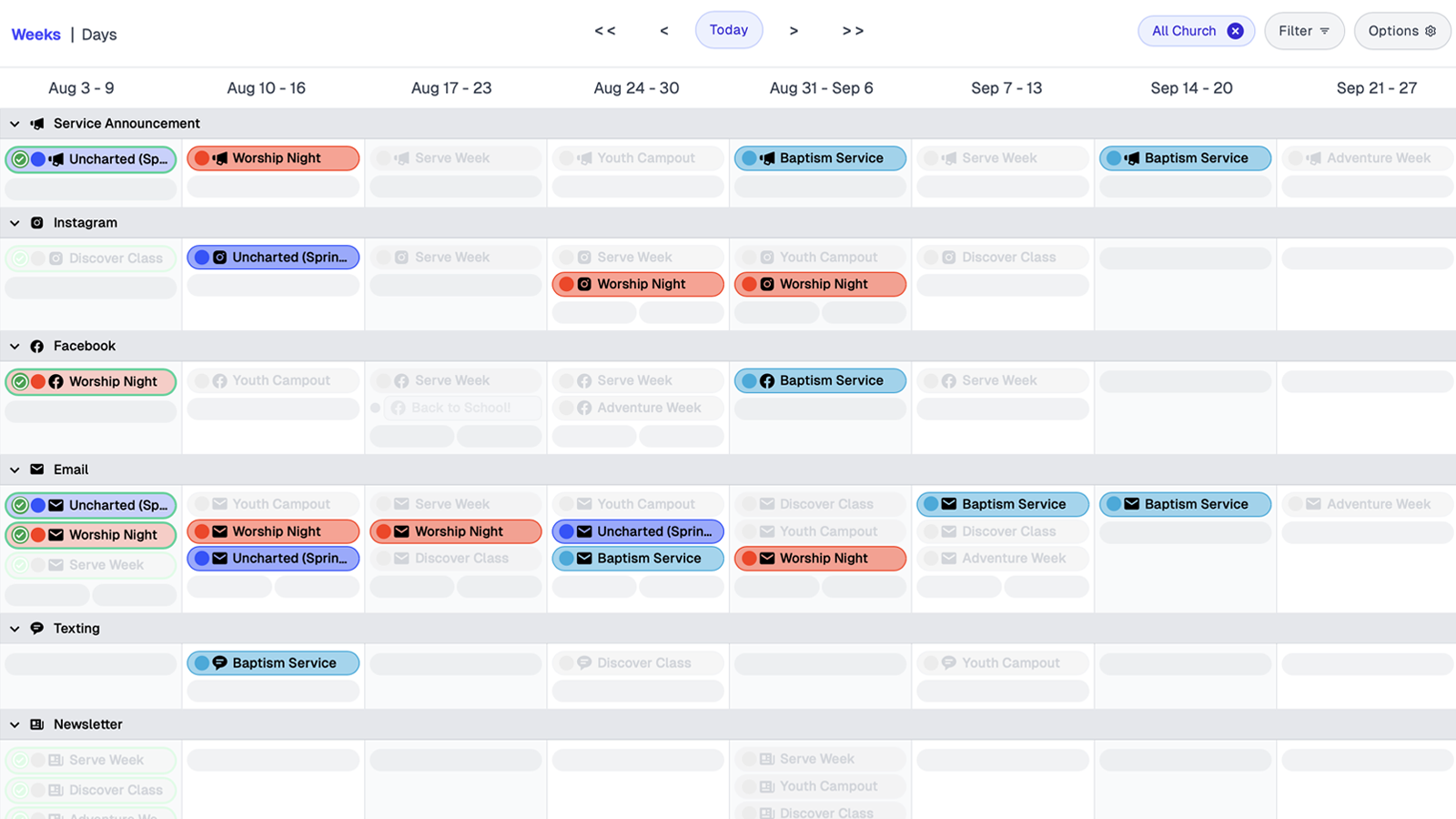
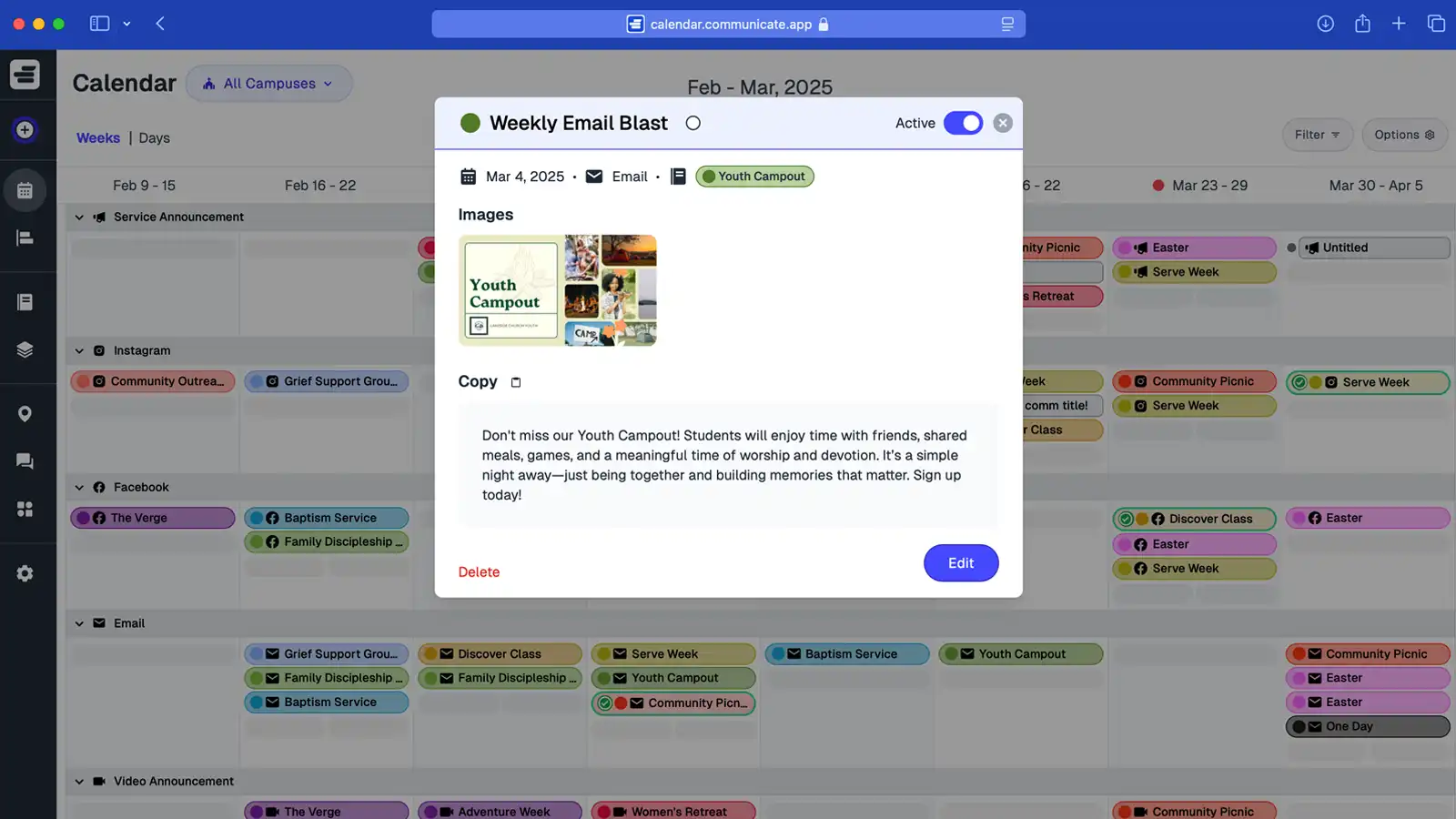
The calendar displays channels as rows (Email, Social Media, Text, Bulletin) and dates as columns. Each communication appears as a colored block matching its campaign, so you instantly see what's planned across all channels and dates.
Switch between week view (8 weeks at a glance) and day view (7 days of detail) depending on whether you're planning ahead or focusing on immediate details.
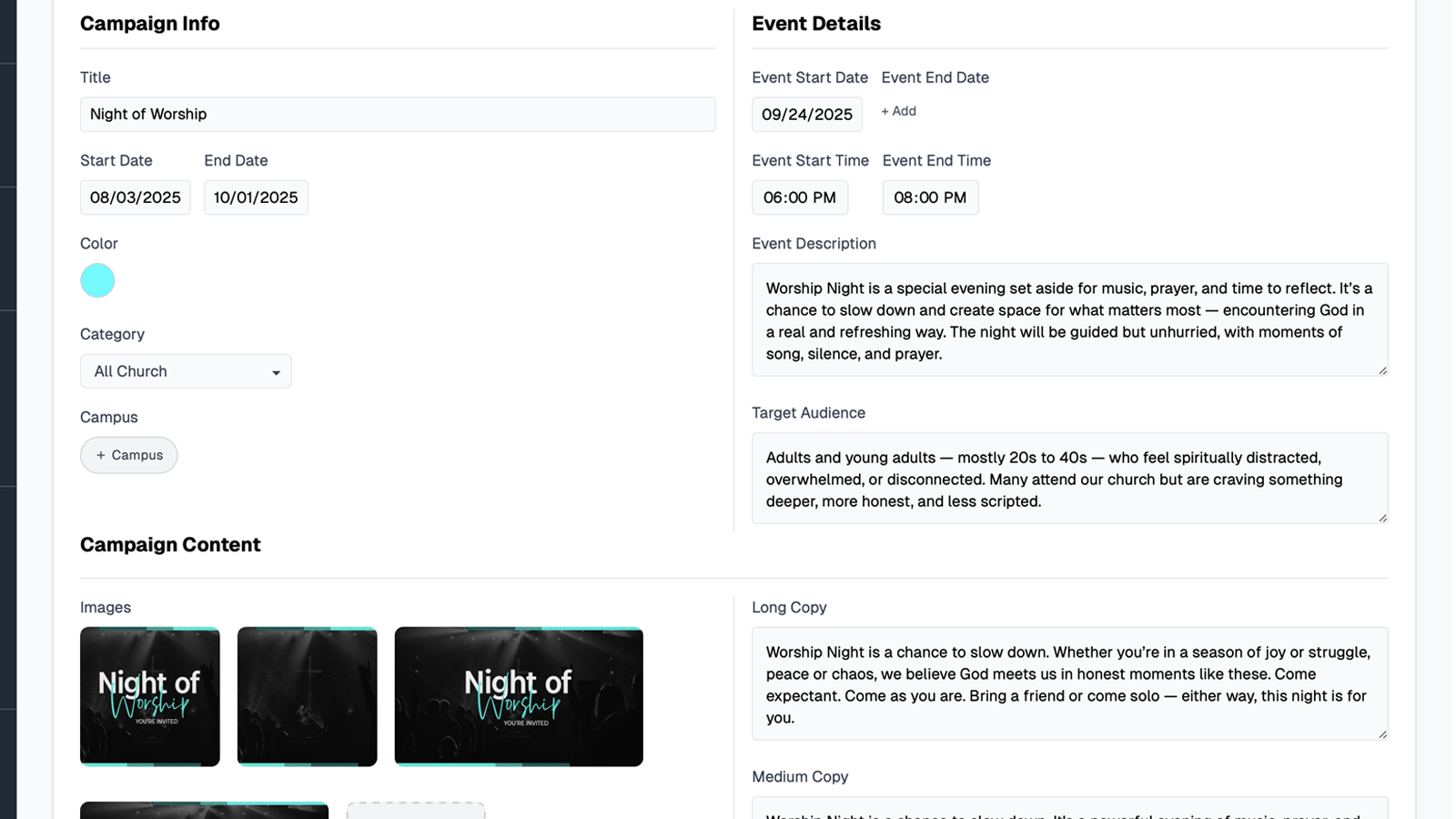
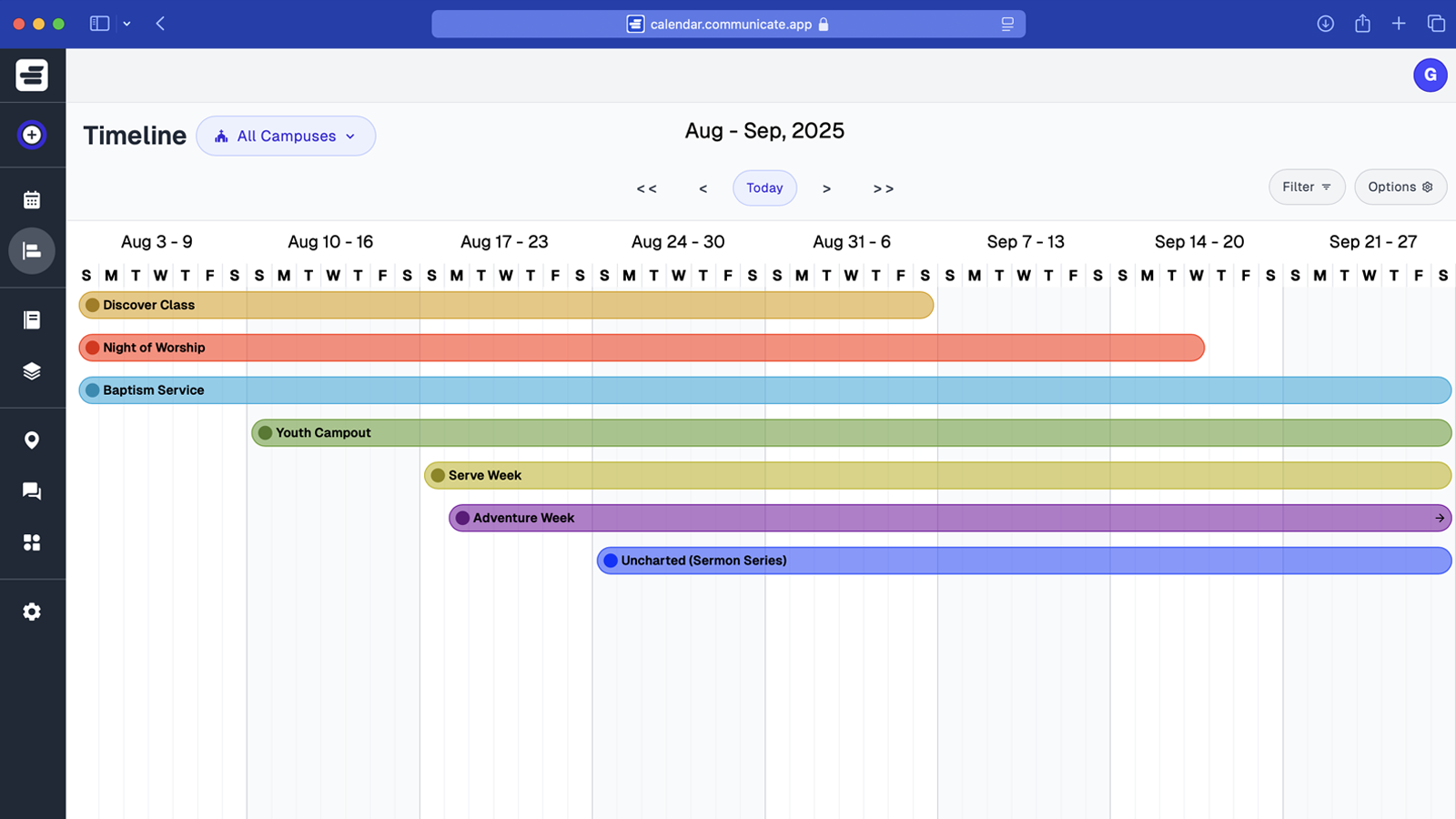
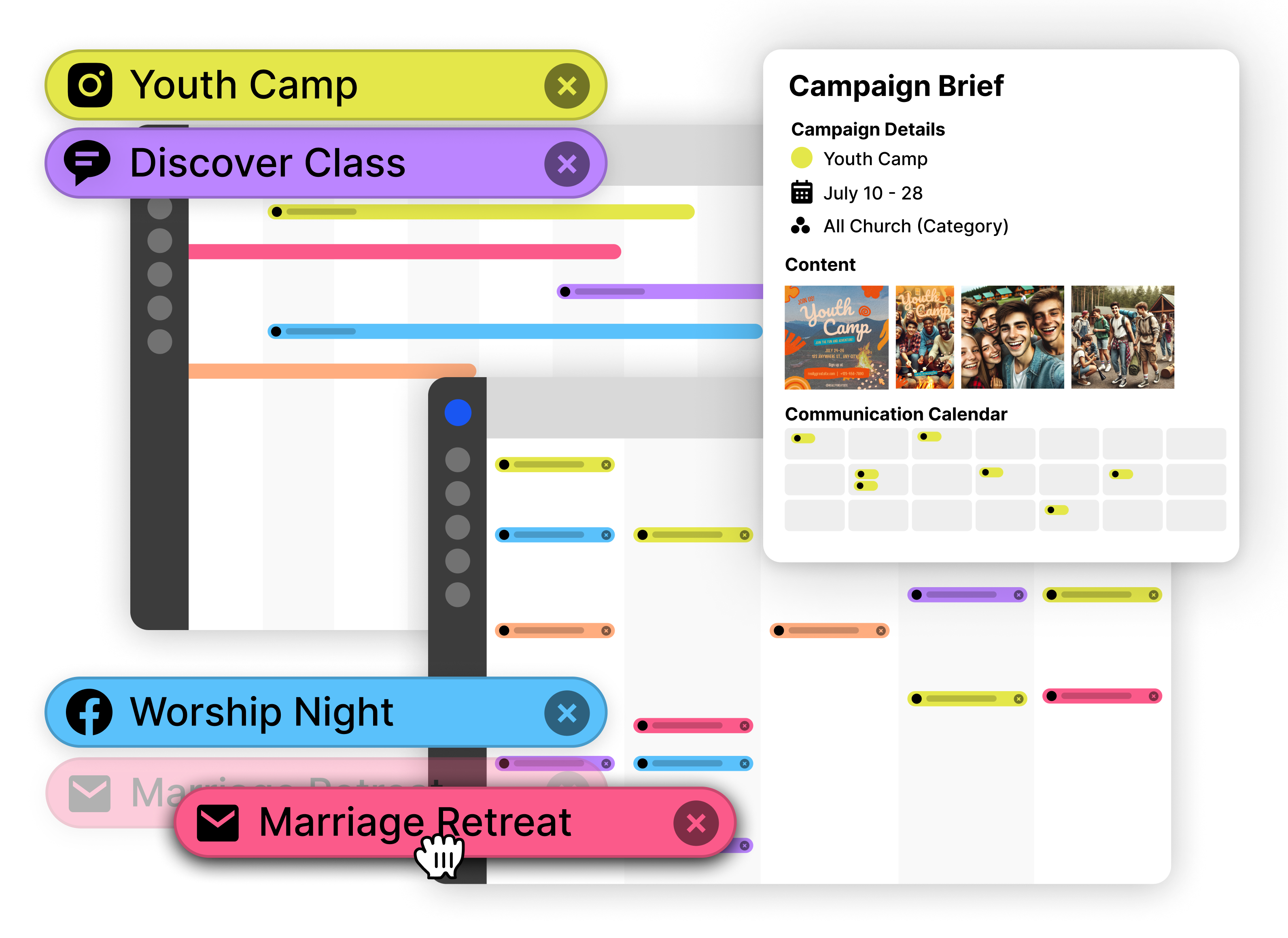
Group related communications under campaigns like "Advent Series," "VBS 2024," or "New Member Class." All messages for a campaign share the same color, making it easy to see how announcements, emails, and social posts work together.
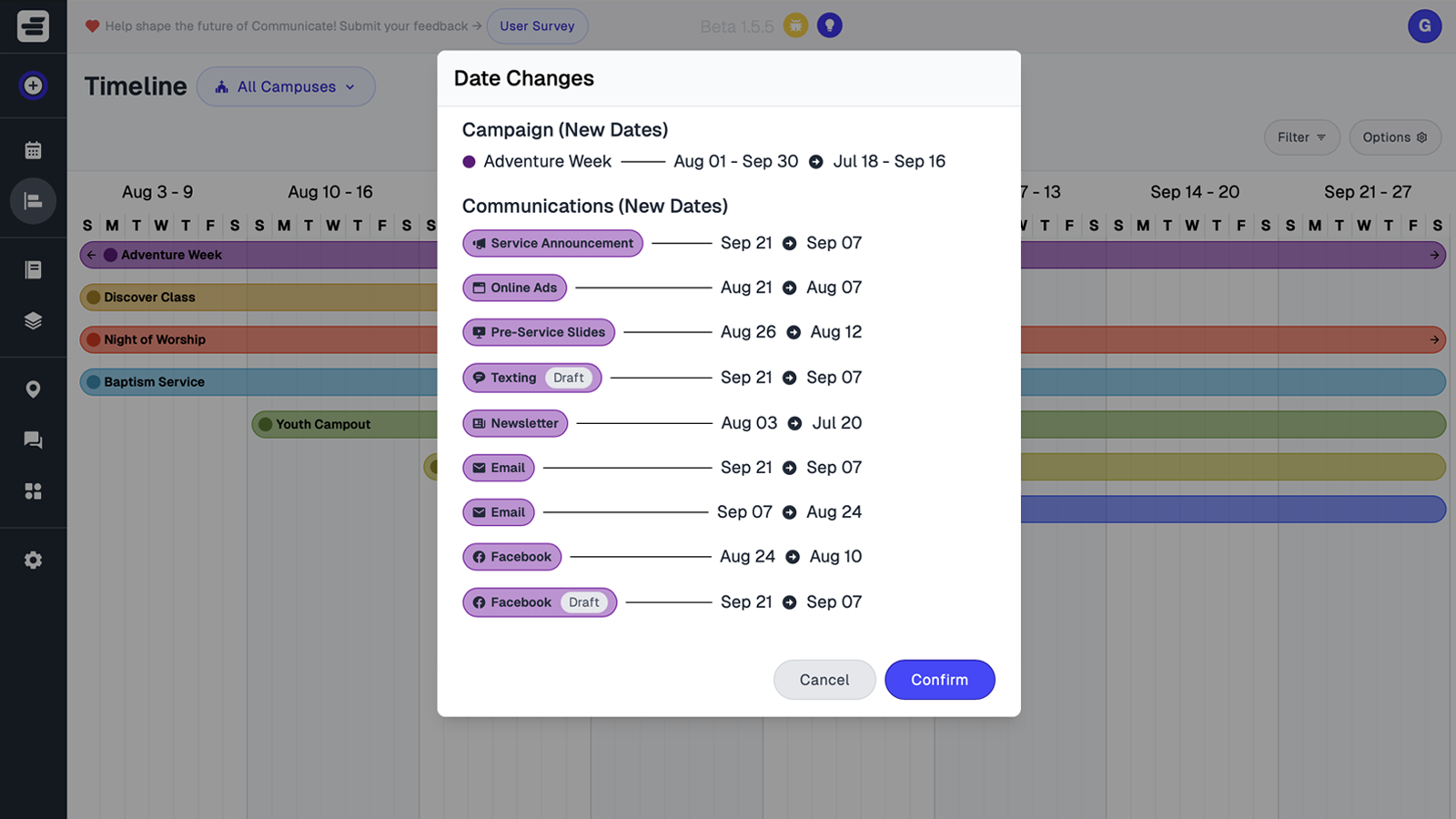
When a sermon series dates change, update the campaign once and all linked communications adjust automatically—no more hunting through rows to update individual dates.
Move communications between dates or channels by dragging them on the calendar. If an event shifts from Sunday to Wednesday, drag the announcement block to the new date—no cutting, pasting, or reformatting cells.
This saves hours compared to spreadsheet editing, especially when coordinating multiple channels for the same event.
Each communication stores its own copy, graphics, links, and notes directly in the calendar. When it's time to publish, everything is attached—no searching through folders or email threads for the right file.
Volunteers can add draft content, staff can attach final graphics, and the calendar becomes the single source of truth for what's going out and when.
See how the church communication calendar handles common planning scenarios your team faces every week.
Churches use communication calendars to plan sermon series launches, coordinate ministry events, and duplicate recurring campaigns.
When launching a new sermon series, you need announcements across multiple channels over several weeks. With Communicate's calendar, you:
All communications are color-coded and grouped, so your team sees the full series plan at a glance. If the launch date shifts, drag all campaign items to new dates in one action.
When multiple ministries want to announce events the same week, the calendar prevents overload:
The visual layout makes it obvious when too many announcements compete for attention, helping you prioritize and stagger messaging effectively.
Annual events like VBS, Advent, or Easter follow similar patterns each year. Instead of rebuilding from scratch:
The calendar preserves all communications, channels, and timing—so you start with a proven structure and only change what's different this year.
The church communication calendar enables real-time collaboration so your entire team stays aligned.
Team collaboration features include assigning owners, tracking status, adding notes, and providing real-time updates visible to all team members.
Assign each communication to a team member so everyone knows who's responsible for drafting, approving, or publishing. The calendar shows ownership at a glance, eliminating confusion about who handles what.
Mark communications as draft, scheduled, or sent. Team members see progress in real time, and you can filter the calendar to show only items that need attention—no more asking "Is this ready?"
Volunteers can add draft copy, staff can leave approval notes, and everyone can see context without switching to email or chat. Notes live right in the calendar where the communication is scheduled.
When someone moves a communication, adds a note, or updates status, changes appear instantly for the whole team. No more emailing "I updated the spreadsheet"—everyone sees updates in real time.
Ministry leaders can view the calendar without editing access, giving them visibility into what's planned without risk of accidental changes. Pastors see upcoming announcements, admins manage scheduling, and volunteers contribute content—all from one shared calendar.
Move from signup to planning in minutes. Communicate is designed for quick onboarding so your team starts seeing value immediately.
Getting started involves creating campaigns, adding channels, scheduling communications, inviting team members, and planning ahead for upcoming weeks.
Start with an upcoming event or sermon series. Give it a name and color—the calendar automatically groups all communications under that campaign.
Set up the channels you use: Email, Instagram, Facebook, Sunday Slides, Text Messages, Bulletins. Each appears as a row in your calendar view.
Click the "+" button in any calendar cell to add a communication. Add copy, attach graphics, assign an owner, and set the status. Drag to move between dates or channels.
Add team members and set their access levels. Staff can edit and schedule, volunteers can add drafts, and leaders can view without editing. Everyone sees the same calendar.
Use the calendar to plan the next 4-8 weeks. Duplicate successful campaigns, schedule recurring announcements, and build momentum around sermon series and events. The more you plan ahead, the smoother your communication becomes.
That's it. No complex setup, no training sessions—just start planning.
Start Your Free TrialPurpose-built tools offer drag-and-drop scheduling, asset attachment, campaign views, multi-user updates, and campaign duplication that spreadsheets cannot provide.
| Spreadsheet | Purpose-Built Tool | |
|---|---|---|
| Easy to start | ✅ | ✅ |
| Drag-and-drop scheduling | ❌ | ✅ |
| Attach graphics/copy | ❌ | ✅ |
| See by campaign/channel | ❌ | ✅ |
| Multi-user updates | ⚠️ | ✅ |
| Duplicate campaigns | ❌ | ✅ |
Here's a quick look at how Communicate helps your team plan announcements, align messaging, and stay organized with a visual church communication calendar.
Visual calendar interfaces help teams plan communications visually and stay ahead of scheduling needs.
Every church communicator has been there—scrambling to align Sunday announcements, juggling scattered documents, and dealing with confused team members. It's not your fault. You're just missing the right system.
Church communication plans fall apart due to scattered planning, last-minute chaos, and team misalignment without a centralized system.
Messages live in emails, chat threads, and siloed docs. No one sees the full picture — until it’s too late.
Saturday night panic mode is all too real. Without a clear church communication calendar, deadlines slip and clarity suffers.
One ministry sends a text, another posts on Instagram, and leadership has no idea what’s going out. No shared source of truth = misfires.
Built for real church communication teams — not just Sunday scheduling. Here’s how Communicate helps you plan, align, and execute with clarity.
Church communication calendars provide drag-and-drop scheduling, campaign and channel planning, and shared visibility for all ministries.
Map out emails, announcements, texts, and posts in one place. Move things around with ease using a visual layout your whole team can understand.
Build campaigns that span across Sundays, series, or seasons — and keep email, social, and print materials aligned under one roof.
Give your pastors, admins, and ministry leaders a clear picture of what's going out when. Everyone stays in the loop — no more silos.
How this topic connects: This page establishes the church communication calendar pillar by explaining how centralized calendar systems coordinate all messaging and channels.
Quick answers on how Communicate keeps every channel, ministry, and asset organized in one calendar.
Common questions about church communication calendars cover viewing multiple channels together, tagging by ministry or campus, volunteer collaboration, asset storage, campaign duplication, and status tracking.
The church communication calendar displays all channels in one unified view. Teams can see email, social media, slides, and SMS communications together, which helps balance timing and coordinate messaging across channels.
Communications can be tagged by ministry, campus, or campaign, and calendar views can be filtered by these tags. This filtering allows teams to focus on communications relevant to them while maintaining visibility into the overall communication plan.
Volunteers can add notes and create drafts in the calendar, while staff members manage approvals and final scheduling. This workflow keeps all communication planning in one place while allowing appropriate access levels for different team members.
Each communication stores its assets and copy directly in the calendar. All content needed to publish a communication is organized with that item, eliminating the need to search through separate folders or file systems.
Past campaigns and their associated communications can be duplicated in seconds. Churches commonly duplicate campaigns for recurring events like Advent, VBS, or sermon series, then adjust dates and update content as needed.
Each communication displays its status and assigned owner in the calendar. Status indicators show whether communications are in draft, scheduled, or sent, and ownership information clarifies who is responsible for each item.
Replace scattered spreadsheets, last-minute announcements, and team confusion with a tool built just for church communicators.
Church communication calendars help teams replace scattered spreadsheets with organized planning and scheduling systems.
No more chaos. Just confidence.