planning
Church Messaging Calendar Guide: How to Plan and Coordinate Communications
Learn how to use a church messaging calendar effectively—from setting up your workflow to organizing campaigns, using templates, managing team collaboration, and planning year-long schedules that reduce stress and increase clarity.
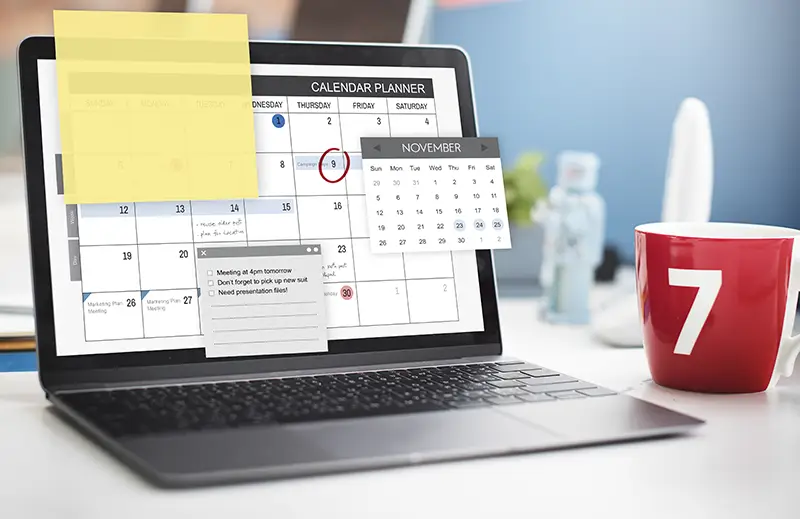
Moving beyond basic scheduling transforms calendars into strategic planning tools that coordinate teams and reduce chaos. Effective systems organize by campaigns and channels, use templates for recurring content, and enable collaboration without constant meetings. When implemented well, this approach gives teams visibility and structure that makes complex planning manageable.
Church Messaging Calendar Guide: How to Plan and Coordinate Communications
A church messaging calendar puts scattered communication in one place so the team can see what's going out, and when. This guide covers setup, campaigns, templates, and a year-long schedule.
Ready to get started? Try Communicate's church communication calendar — the purpose-built tool designed specifically for church teams who want clarity and alignment.
Below: how to set up the workflow, organize campaigns, use templates, work with your team, and plan the year.
Updated September 30, 2026: Added a section on building your calendar for Advent through January, including working backward from Christmas Eve and what to lock in by mid-October and early November, plus two new FAQs on Christmas planning lead times and protecting January launches.
Table of Contents
- Understanding Church Communications Calendars
- How to Set Up Your Calendar Workflow
- How to Use Church Communication Templates
- How to Organize Communications by Campaign
- How to Plan a Year of Church Communications
- How to Manage Church Communication Workflows
- How to Collaborate with Your Team
- Common Calendar Mistakes to Avoid
- Building Your Calendar for Advent Through January
- Frequently Asked Questions
Understanding Church Communications Calendars
A church communications calendar is where you organize, schedule, and coordinate messages across email, social media, text, stage announcements, bulletins, and other channels. Once the plan is visible, the team can act on it instead of guessing.
If you're new to church communications calendars, learn more about what a church communication calendar is and how it can transform your team's planning process. A purpose-built church communication calendar provides visual planning, campaign organization, and team collaboration features that make strategy execution easier.
How Calendars Organize Information
Calendars organize information visually:
- Timeline view - See communications across time
- Campaign view - Group related messages together
- Channel view - Organize by platform (email, social, etc.)
- Status view - Track what's done, in progress, or planned
Key Capabilities
A well-designed church communications calendar enables:
- Centralized planning - All communications in one visible location
- Multi-channel coordination - Messages across email, social, text, stage, etc.
- Campaign organization - Grouped by events, series, or initiatives
- Team collaboration - Shared access for all stakeholders
- Advance scheduling - Plan weeks or months ahead
- Workflow management - Track status, assignments, and approvals
How to Set Up Your Calendar Workflow
Setting up your calendar workflow is the foundation for effective communication planning. Here's how to establish a system that works for your team:
Step 1: Define Your Planning Process
Establish how requests get added to your calendar:
- Request intake - How do ministries submit communication requests?
- Evaluation - How do you assess what deserves calendar space?
- Prioritization - How do you decide what goes when?
- Approval - Who reviews and approves communications?
Step 2: Set Up Your Structure
Organize your calendar with:
- Channels - Email, social media, text, stage, etc.
- Campaigns - Major initiatives and events
- Categories - Types of communication (announcements, stories, etc.)
- Team Members - Who's responsible for what
A purpose-built church communication calendar makes this organization intuitive with drag-and-drop scheduling and visual campaign views.
Step 3: Add Your First Communications
Start with what you know:
- This week's communications - What's already planned?
- Upcoming events - What needs to be communicated?
- Regular rhythm - Weekly announcements, newsletters, etc.
- Known campaigns - Sermon series, seasonal events
Step 4: Establish Your Review Process
Define how you'll maintain the calendar:
- Weekly review - Update and adjust as needed
- Monthly planning - Look ahead and fill gaps
- Quarterly evaluation - Assess what's working
- Annual planning - Set strategic direction
How to Use Church Communication Templates
Templates save time and ensure consistency. Here's how to use them effectively in your church communication calendar:
What Are Communication Templates?
Templates are reusable frameworks for common communication patterns:
- Campaign Templates - Structures for major initiatives
- Message Templates - Formats for common communications
- Seasonal Templates - Yearly recurring campaigns
- Channel Templates - Platform-specific formats
Creating Templates
Build templates from successful campaigns:
- Identify patterns - What communications work well?
- Document structure - How are they organized?
- Save as template - Create reusable framework
- Test and refine - Improve based on use
Using Templates
Apply templates to new campaigns:
- Select template - Choose appropriate framework
- Customize content - Adapt for specific campaign
- Schedule communications - Assign dates and times in your calendar
- Execute and refine - Use and improve template
Learn more about using church communication templates effectively.
How to Organize Communications by Campaign
Campaigns group related communications together. Here's how to organize effectively in your calendar:
What Are Campaigns?
Campaigns are collections of related communications that support a common goal:
- Sermon Series - Messages supporting a teaching series
- Events - Communication for specific events
- Seasonal Initiatives - Easter, Christmas, fall launch
- Ministry Programs - Ongoing or new programs
Campaign Structure
Organize campaigns with:
- Campaign Brief - Goals, audience, timeline
- Key Messages - Core points to communicate
- Communication Schedule - When messages go out (tracked in your calendar)
- Channel Strategy - Where messages appear
- Success Metrics - How you'll measure effectiveness
A church communication calendar with campaign organization features makes it easy to see all related communications together and coordinate timing across channels.
Campaign Planning Process
Plan campaigns systematically:
- Define objectives - What are you trying to achieve?
- Identify audience - Who needs to hear this?
- Plan timeline - When should communication happen?
- Choose channels - Where will messages be most effective?
- Create content - Develop messages and materials
- Schedule communications - Assign dates and times in your calendar
- Execute and monitor - Publish and track performance
How to Plan a Year of Church Communications
Annual planning provides strategic overview while maintaining flexibility. Here's how:
Annual Planning Framework
Plan in layers:
Strategic Level (Annual):
- Major campaigns and initiatives
- Seasonal rhythms and events
- Key ministry goals and objectives
- Resource allocation and capacity
Tactical Level (Quarterly):
- Detailed campaign planning
- Channel strategy refinement
- Process improvements
- Team coordination
Operational Level (Monthly/Weekly):
- Specific message planning
- Content creation and scheduling
- Daily execution and adjustments
- Team alignment and communication
Seasonal Planning
Plan around natural church rhythms:
Q1 (January-March):
- New year initiatives and goals
- Easter preparation and campaigns
- Winter programs and activities
Q2 (April-June):
- Spring programs and events
- Summer planning and preparation
- End-of-school-year activities
Q3 (July-September):
- Summer activities and engagement
- Fall launch preparation
- Back-to-school initiatives
Q4 (October-December):
- Fall programs and campaigns
- Christmas preparation and execution
- Year-end planning and reflection
Planning Process
Follow this process for annual planning:
- Review previous year - What worked? What didn't?
- Identify major campaigns - What are the big initiatives?
- Plan seasonal rhythms - What happens when?
- Allocate resources - What's your capacity?
- Create timeline - When does everything happen?
- Build flexibility - Leave room for adjustments
- Review quarterly - Refine based on reality
Learn more about planning a year of church communication.
How to Manage Church Communication Workflows
Workflows define how communications move from idea to execution. Here's how to manage them using your calendar:
Workflow Components
Effective workflows include:
- Intake Process - How requests are submitted
- Evaluation - How requests are assessed
- Approval - Who reviews and approves
- Creation - How content is developed
- Scheduling - How communications are planned in your calendar
- Execution - How messages are published
- Review - How effectiveness is evaluated
Common Workflow Patterns
Simple Workflow:
- Request submitted
- Approved by communication leader
- Scheduled in calendar
- Created and published
Complex Workflow:
- Request submitted with details
- Evaluated against priorities
- Approved by ministry leader
- Reviewed by communication team
- Final approval from leadership
- Scheduled and assigned in calendar
- Created and reviewed
- Published and monitored
Workflow Management
Manage workflows effectively:
- Document processes - Write down how things work
- Use your calendar - Track status and assignments visually
- Train team - Everyone understands the process
- Review regularly - Improve workflows based on experience
A purpose-built church communication calendar supports workflow management with status tracking, assignments, and team collaboration features.
How to Collaborate with Your Team
Effective calendar use requires team buy-in and collaboration:
Getting Team Buy-In
- Involve team in setup - Get input on structure and workflow
- Provide training - Show how the calendar works and why it matters
- Set expectations - What goes in the calendar and when
- Be consistent - Use the calendar yourself and model good practices
Collaboration Features
Use your calendar's collaboration features:
- Shared access - Everyone sees the same plan
- Assignments - Clear ownership and responsibilities
- Comments - Team discussion and coordination
- Notifications - Updates and reminders
A church communication calendar with built-in collaboration features makes it easy for your team to work together effectively.
Common Calendar Mistakes to Avoid
Avoid these mistakes that undermine calendar effectiveness:
Mistake 1: Using It Only for Scheduling
Problem: Calendar becomes just a list of dates.
Solution: Use it as a planning and coordination tool. Include campaigns, channels, assignments, and status.
Mistake 2: Not Keeping It Updated
Problem: Calendar becomes outdated and unreliable.
Solution: Make updating the calendar part of your regular workflow. Review and update weekly.
Mistake 3: Too Many Tools
Problem: Information scattered across multiple platforms.
Solution: Use one central calendar tool. Consolidate planning in one place.
Mistake 4: No Team Buy-In
Problem: Team doesn't use or trust the calendar.
Solution: Involve team in setup, train thoroughly, and be consistent in use.
Mistake 5: Over-Complicating
Problem: Calendar becomes too complex to use.
Solution: Start simple and add complexity only as needed. Keep it usable.
Building Your Calendar for Advent Through January
Advent, Christmas, and January are the most crowded stretch of the church year. Services multiply, guests show up, year-end giving matters, and January launches are waiting on the other side. The teams that handle it well don't work harder in December. They build the calendar in October.
Work Backward from Christmas Eve
Start with Christmas Eve on the calendar and plan in reverse. Every other date in the season depends on it:
- Christmas Eve services - Lock service times first. Everything else, from invite cards to social graphics, depends on them.
- Invitation push - Give your congregation roughly three to four weeks of invitation materials before Christmas Eve, starting around the beginning of Advent.
- Volunteer recruitment - Extra services need extra greeters, parking, kids, and production volunteers. Start asking in early November so people can plan around family travel.
- Year-end giving - Plan generosity communication for the last two to three weeks of December, with a clear final reminder before December 31.
Once those anchor dates are set, fill in the supporting pieces around them.
What to Lock In by Mid-October
- Service schedule - Dates, times, and locations for every Advent and Christmas service
- Campaign owners - Who is responsible for invitations, volunteers, and giving communication
- Seasonal goals - The one or two outcomes your leadership wants from the season
- Design direction - The look and theme so creative work can start early
What to Lock In by Early November
- Invitation assets - Invite cards, social graphics, and email copy drafted
- Volunteer asks - Sign-up links and stage announcements scheduled
- Giving plan - Year-end messages drafted and approved by leadership
- January landing page - A clear next step for Christmas guests, even if details are still being finalized
Protect Space for January Launches
January groups, classes, and serving teams often start the first or second week of the new year. That means promotion has to begin in December, while Christmas is still competing for attention. Block out space in your calendar now for January announcements in mid-to-late December, and keep the first two Sundays of January as clear as possible for next steps rather than new events.
If you ran a Christmas campaign last year, save it as a reusable structure. Smart Templates in Communicate let you start this year's season from last year's plan instead of rebuilding it from scratch.
For a detailed week-by-week breakdown, see how to plan your church Christmas promotions without burning out. If your team is mostly volunteers, pair it with how volunteers can run church comms without burning out.
Frequently Asked Questions
Q: Do I need a special tool, or can I use a spreadsheet?
A: You can start with a spreadsheet, but purpose-built tools like Communicate's church communication calendar provide better features for collaboration, campaign organization, and workflow management.
Q: How far ahead should I plan in my calendar?
A: Plan strategically for the year, but keep detailed planning to 4-8 weeks ahead. This balances advance planning with flexibility.
Q: What if my calendar gets too full?
A: Use your priority framework to evaluate what deserves calendar space. Not everything needs to be scheduled.
Q: How do I get my team to use the calendar?
A: Involve them in setup, provide training, make it part of regular workflows, and be consistent in your own use.
Q: Can I use my calendar for multiple churches or campuses?
A: Many tools support multi-site organization. Look for features that let you organize by location or audience.
Q: What's the difference between a calendar and a strategy?
A: Strategy is your framework for planning and priorities. A calendar is the tool that makes strategy visible and actionable.
Q: How often should I update my calendar?
A: Update weekly as part of your regular workflow. Review monthly for bigger picture adjustments.
Q: What if I make mistakes in my calendar?
A: That's normal. Calendars are living documents. Update as you learn and adjust. Perfection isn't the goal—clarity is.
Q: When should we start planning Christmas communications?
A: Start in early to mid-October. Lock in service times, campaign owners, and seasonal goals by mid-October, then have invitation assets, volunteer asks, and year-end giving messages drafted by early November.
Q: How do we promote January launches without competing with Christmas?
A: Reserve space on your calendar for January announcements in mid-to-late December, and keep the first two Sundays of January focused on next steps for guests rather than new events.
How this topic connects: This guide goes further on the church communication calendar pillar by explaining how to use the calendar system effectively across all channels and campaigns.
Related Articles
Explore these related guides to deepen your understanding of church communications calendars:
- How to Build a Church Messaging Calendar: Step-by-Step Setup Guide - Step-by-step creation guide
- Why Your Church Needs a Messaging Calendar (And How to Build One) - Why calendars matter
- Church Messaging Calendar Template: Structure That Actually Works - Template strategies and structure
- How Should Churches Plan Their Entire Year of Communication in One System? - Annual planning guide
- How to Build a Church Content Strategy That Works Year-Round - Content planning framework
- Christmas Starts Now: How to Plan Your Church Promotions Without Burning Out - Christmas planning timeline
- Church Comms with No Staff: How Volunteers Can Run the Show Without Burning Out - Volunteer-led team guide
Ready to put this into practice? Start your free trial of Communicate — the church communications calendar built for ministry teams.